Einstein Voice promised Salesforce users a way to talk to their CRM instead of typing into it. Salesforce retired it in 2020, but the problem it was built to solve hasn't gone away. Reps still lose hours to data entry, and the details from every meeting still fade before they reach the CRM.
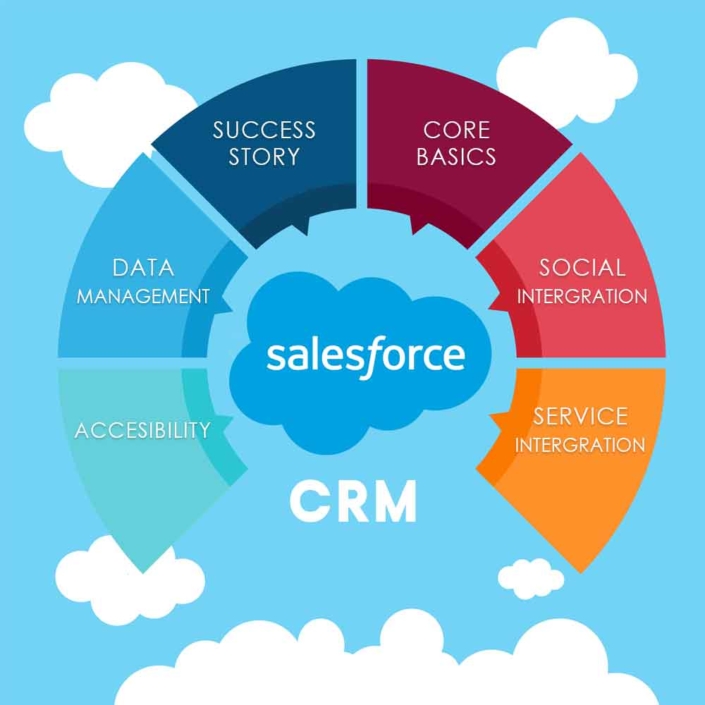
When Salesforce previewed Einstein Voice, the pitch was simple: speak to Salesforce the way you'd talk to a colleague, and let AI update the right records. Reps could dictate meeting notes, create tasks and hear a briefing on their day from a phone or a smart speaker. For teams who spend their days in cars, lobbies and customer sites, it sounded like the end of after-hours CRM catch-up.
It never made it out of beta. Salesforce retired Einstein Voice Assistant and Einstein Voice Skills in July 2020 and folded its voice work into other products. Many teams that had planned around it went back to typing.
This guide brings together everything we've written about Einstein Voice and Salesforce: what Einstein Voice did, how its speech recognition and machine learning worked, why Salesforce shut it down, who stood to benefit, how different teams use Salesforce today, how to raise sales productivity inside Salesforce, and what to look for in an Einstein Voice alternative.
Einstein Voice was Salesforce's voice assistant for its CRM. It combined speech recognition, natural language processing and the Einstein AI layer so users could interact with Salesforce through spoken commands instead of screens and forms.
Salesforce first previewed it at Dreamforce in 2018 and showed it off again at Dreamforce 2019, including mockup smart speakers styled after the Einstein character (TechTarget, 2020). Users could talk to it through the Salesforce mobile app, Salesforce demonstrated it on Amazon Alexa-compatible smart speakers, and integrations with Apple's Siri and Google Assistant were planned.
Einstein Voice went beyond dictation. It could suggest next steps, create tasks and set reminders, and read back information from the CRM. A companion product, Einstein Voice Skills, let admins and developers build custom voice apps for their own teams.
Einstein Voice had a long list of practical uses across sales, marketing and service. These seven stood out:
Einstein Voice was built on automatic speech recognition (ASR), the technology that lets people speak to computer interfaces conversationally. ASR needs a channel that captures a voice through a microphone and passes it to the right place for processing.
The Einstein Voice Assistant worked in a few steps:
The design was sound. The weak point was the same one every AI-only capture tool faces: when speech recognition mishears a name, a number or a product, the error goes straight into the CRM unless someone checks it.
Lead scoring and predictive analytics weren't part of the voice product itself. They came from the wider Einstein AI layer in Salesforce, which Einstein Voice could surface through spoken requests.
Einstein Lead Scoring studied the history of converted leads in a company's CRM, found patterns in the attributes those leads shared, and scored new leads by how closely they matched. Admins could leave out fields that were no longer relevant, and the model updated over time as the ideal customer changed. When a company didn't yet have enough of its own data, Einstein could start from a global model and move to a company-specific one as the CRM filled up. Each score reflected the fields that pushed a lead's likelihood up or down.
Einstein's predictive work relied on three main machine learning tools:
All of these tools have one thing in common: they're only as good as the data in Salesforce. A lead score built on half-logged activity, or a next best action based on notes that never got entered, will point reps in the wrong direction. We explain why in our guide to AI-first, human-verified CRM data.
Salesforce's Summer '20 release notes stated that Einstein Voice Assistant was scheduled to be retired on July 10, 2020, covering the web version and the iOS and Android mobile apps. Salesforce also ended the Einstein Voice Skills beta (Voicebot.ai, 2020).
Salesforce said at the time that voice remained a priority and pointed to voice features in other products, such as Service Cloud Voice and Einstein Call Coaching, and to the new Salesforce Anywhere app. Analysts noted that the assistant had served mainly as a conversational layer on top of existing apps, and that accurate speech recognition was becoming widely available from many vendors (TechTarget, 2020).
For sales teams, the result was simple. The voice assistant that would have let reps update Salesforce from the car disappeared, and the typing came back.
Einstein Voice was aimed at anyone whose work happens away from a keyboard:
The underlying problem is administrative load. Salesforce's own research finds that reps spend only about 40% of their time selling, with the other 60% going to tasks like research, prospecting and manual data entry (Salesforce, 2026). Einstein Voice would have helped in four ways: faster data entry, timely reminders, better-prioritized leads and fewer details lost between meetings. Those benefits are still available, just not from Einstein Voice.
Einstein Voice was built for sales, but Salesforce itself serves a much wider range of teams. Each has the same dependency: the CRM is only useful if the data in it is current.
Service teams use Salesforce to see a customer's full history, route cases, track resolution and spot recurring issues. A service agent who can see every past interaction resolves problems faster and makes the customer feel heard. When notes are missing or wrong, agents pull the wrong information and customers have to repeat themselves. Clean, complete records are what let service teams focus on the customer instead of the screen.
Nonprofit staff almost always do more than their job titles say, and volunteers and donors are their lifeblood. Salesforce helps nonprofits track meetings, calls and emails with supporters, keep communities engaged with timely updates and personal touches like birthday greetings and thank-you notes, and stay on top of every touchpoint whether staff are at a volunteer event or a donor dinner. For a deeper look at relationship-driven fundraising, see our guide to alumni fundraising strategy.
Accounting firms use Salesforce for business development, relationship management and staying connected with clients between engagements. A CRM helps partners track which clients need which services, spot cross-sell opportunities, and personalize outreach based on each client's history. The challenge is that partners and managers rarely have time to log every client conversation.
Distributed teams across regions and time zones use Salesforce to share a single view of accounts, manage pipelines consistently, collaborate on deals and give leaders visibility across markets. When one region logs diligently and another doesn't, that single view breaks down.
Schools have used Salesforce to manage admissions pipelines, communicate with staff, students and families, and track student progress and deadlines. As with every other use case, keeping records accurate as people come and go is the hard part. Clean data is what makes the platform worth having.
Salesforce is more than a CRM. It's a platform that connects to the tools sales teams use every day. Getting more productivity from it comes down to the right tools, automation and reporting.
Salesforce reports and dashboards let managers track pipeline, activity and win rates in real time. Forecasting models built on historical data can project outcomes for planning. But every dashboard and forecast depends on the activity data reps actually log. That's why capture, not reporting, is usually the real bottleneck.
As listed on Salesforce's pricing page in November 2026, Salesforce sells a Starter Suite at $25 per user per month and a Pro Suite at $100 per user per month (billed annually). Sales Cloud editions run from $195 up to $550 per user per month, billed annually (Salesforce pricing). Prices change, so check the current page before you budget.
License cost is only part of the picture. Implementation, admin time and the hours reps spend on data entry often cost more than the licenses. For a side-by-side look at Salesforce and its main rival, see our HubSpot vs. Salesforce guide.
| Einstein Voice (retired) | Typing into Salesforce | Hey DAN voice-to-CRM | |
|---|---|---|---|
| Status | Beta retired July 10, 2020 | Default for most teams | Available today |
| How data gets in | Voice commands on mobile or smart speakers | Rep types notes and fields by hand | Rep speaks a short note; AI drafts the record |
| Who checks the data | No separate review step | The rep, if they have time | A Hey DAN reviewer verifies before sync |
| When the record is created | Right after the interaction | Often hours or days later | Right after the interaction |
| CRMs supported | Salesforce only | Any | Salesforce, HubSpot, Dynamics 365 and custom CRMs |
| Accuracy | Not published | Depends on memory and time | Up to 99% (Enterprise) |
If you're replacing what Einstein Voice promised, look for these qualities:
Hey DAN is a voice-to-CRM service that delivers what Einstein Voice set out to do, with one important difference: a person checks the data. Hey DAN has served sales professionals at firms with over $7.6 trillion in total market capitalization.
The workflow is simple:
Because speaking is about three times faster than typing, reps log CRM updates up to 3X faster and save 4–6 hours per week. Accuracy reaches up to 99% (Enterprise). Hey DAN has also helped clients reach 90% CRM adoption, because logging a meeting by voice takes less effort than typing it. And Hey DAN isn't a replacement for Salesforce. It sits on top of your CRM and makes sure the data going into it is complete.
For a broader introduction to the category, see what voice-to-CRM is and how it works.
Einstein Voice showed what Salesforce users wanted: a way to update the CRM by talking instead of typing. Salesforce retired it, but the need is still there, and it has grown as more AI tools depend on CRM data. The teams that get the most from Salesforce today capture every conversation while it's fresh, structure it properly and check it before it syncs. Do that, and lead scores, forecasts and next best actions finally have the data they need.
No. Salesforce retired the Einstein Voice Assistant beta on July 10, 2020, on the web and in the iOS and Android Salesforce apps, and also ended the Einstein Voice Skills beta. Salesforce said its voice work would continue in other products such as Service Cloud Voice and Einstein Call Coaching.
The best alternative is a voice-to-CRM tool that works with Salesforce, lets reps capture notes from their phone right after a meeting, structures the note into CRM fields and verifies the data before it syncs. Hey DAN is built this way: AI drafts the record and a Hey DAN reviewer checks it.
Einstein Voice used automatic speech recognition to transcribe a user's speech, natural language models to understand the request, and the Salesforce Einstein AI layer to find the right records and fields. It could read back information, update records, create tasks and set reminders.
Not exactly. Einstein Lead Scoring is part of the wider Salesforce Einstein AI layer. It scores leads by comparing them with the attributes of previously converted leads. Einstein Voice could surface that information through spoken requests, but lead scoring didn't depend on voice.
Yes. Voice-to-CRM services like Hey DAN let reps record a short voice note after a meeting and have it turned into a structured Salesforce record. With Hey DAN, a reviewer verifies the record before it syncs.
No. Hey DAN works with Salesforce, HubSpot, Microsoft Dynamics 365 and custom CRMs. It isn't a CRM itself. It sits on top of the CRM you already use and keeps the data going into it complete and accurate.
Because it captures detail while it's fresh. People speak about three times faster than they type, so a two-minute voice note right after a meeting holds far more detail than a typed summary written hours later. Adding a human check before sync stops transcription errors from reaching the CRM.
Want to see how Hey DAN turns a two-minute voice note into a clean, human-verified Salesforce record? Book a free demo and we'll show you exactly how it works.
30 minutes. No obligation.
Book a Demo with Hey DAN

Hey DAN is the market-leading Voice-to-CRM solution, trusted by more than 10,000 sales professionals and serving 50 of the 60 largest asset management firms worldwide. Founded in 2006, Hey DAN combines fast AI transcription with human verification to turn spoken conversations into accurate, structured CRM records, giving sales teams back hours every week and giving leadership the clean data modern go-to-market strategy depends on.
Follow Hey DAN


