
Field sales representatives face a unique challenge: they’re rarely at a desk, constantly driving between appointments, and expected to keep their CRM immaculately updated. The average field rep spends 78% of their time outside the office, yet most sales software is designed for inside sales teams sitting at desks with keyboards.
This creates a fundamental tension at the core of field sales work. Outside sales tools have come a long way—mobile CRM apps, route optimization platforms, social selling intelligence—but they were largely built to solve the viewing and accessing problem, not the capturing problem. Getting information INTO your systems while you’re on the road is a different challenge entirely, and it’s one that most field sales technology stacks leave completely unaddressed.
Who are we talking about? Field sales representatives—often called outside sales reps—are the professionals in industries like manufacturing, distribution, medical devices, and industrial sales who spend the majority of their working week visiting customers in person. Unlike their inside sales counterparts, they’re measuring their days in miles driven and appointments kept, not headsets worn and calls logged. They work from their cars, their customer’s conference rooms, and the occasional hotel lobby. They are the face of their company, and they carry the full weight of customer relationships on the road with them every day.
The right field sales technology stack matters for three critical reasons. First, it directly impacts productivity—every minute saved on administrative tasks or inefficient routing is a minute that could be spent in front of a customer. Second, it ensures pipeline visibility—your manager can only trust what’s in the CRM, and incomplete data undermines your ability to forecast and strategize together. Third, it builds the foundation for manager trust and career advancement—reps who keep their CRM current are seen as organized, professional, and reliable.
Here are the 3 essential tools that make up the modern field sales software stack—plus the critical missing piece that makes them all actually work.
What It Is
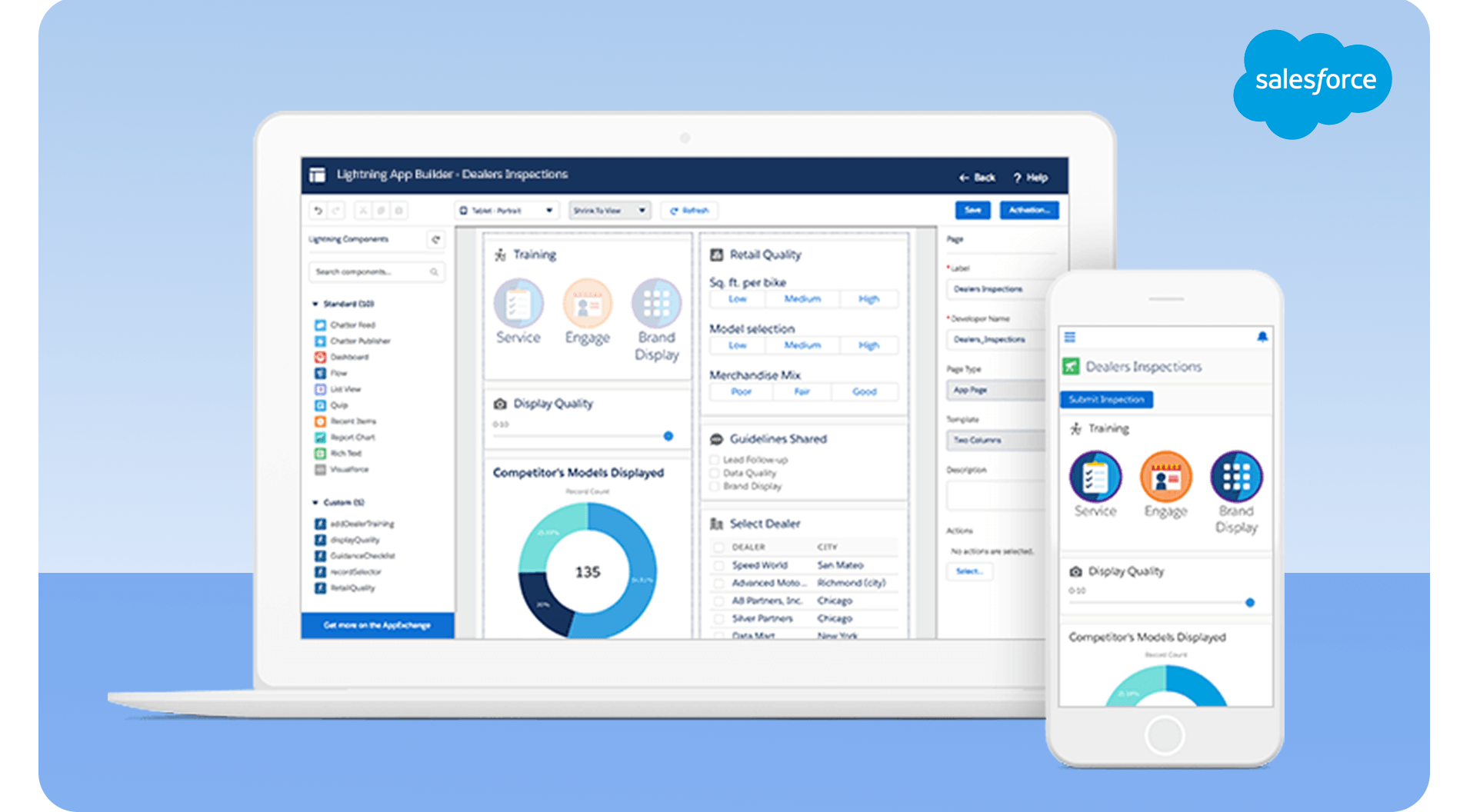
Salesforce Mobile is the field-accessible version of the world’s most widely used CRM platform. For field sales representatives, it serves as the single source of truth for every customer relationship, deal, and sales activity. In B2B industries—manufacturing, distribution, medical devices—having a standardized system of record isn’t optional. It’s the foundation everything else is built on.
Core Functionality
Salesforce Mobile gives field reps complete access to their customer universe from anywhere with a cell signal. Before walking into a meeting, you can pull up full account history: past purchases, previous conversations, open support tickets, competitive intel logged from prior visits, and notes from the last three meetings. Pipeline management is fully functional on mobile—you can move opportunities through stages, update deal values, and adjust close dates without ever sitting down at a desk. Task management keeps your follow-ups organized and your commitments visible. An offline mode ensures you’re not helpless in areas with poor connectivity—data syncs when you reconnect. And native integration with email and calendar means your scheduled meetings and outbound communications are all tied to the right account records.
Why Field Reps Need It
Customer context before a meeting is invaluable. Walking in knowing that this account had a pricing dispute six months ago, that their previous rep noted a preference for face-to-face communication, or that they’re three weeks from a renewal decision—that context transforms a cold visit into a warm, informed conversation. Beyond individual meetings, Salesforce gives your manager the pipeline visibility they need to support you, coach you, and forecast accurately. It also standardizes data across your entire team, which matters when territories shift, accounts transfer, or leadership needs to understand what’s happening across the organization.
Pricing
Salesforce Professional runs $75/user/month; Enterprise is $150/user/month. For most field sales teams, Professional or Enterprise is the practical choice once you factor in mobile access, advanced reporting, and integration capabilities.
What It Does Really Well
Salesforce is the industry standard for a reason. Its reporting and forecasting capabilities are unmatched at scale. It’s customizable for virtually any industry’s specific workflows and data requirements. The mobile app is genuinely well-designed for on-the-go access. And its recognition is universal—when you move companies or collaborate with partners, everyone already knows Salesforce.
The Limitation That Sets Up the Gap
Salesforce Mobile is excellent for viewing customer data. But after a 45-minute customer meeting, updating all the relevant fields—opportunity stage, next steps, competitive intelligence, budget discussions, timeline—requires extensive typing on a small screen. Most reps wait until they’re back at their desk (if they have one) or until end-of-day, by which time details have faded significantly.
According to the Salesforce State of Sales Report, reps spend 28% of their week on administrative tasks, with CRM data entry challenges being the largest single component. For field reps, this problem is amplified—they have less desk time, more meetings, and a phone screen instead of a keyboard.
This challenge is why why CRM adoption fails in many organizations. Salesforce works when it has data. Getting data in is the unsolved problem.
What It Is
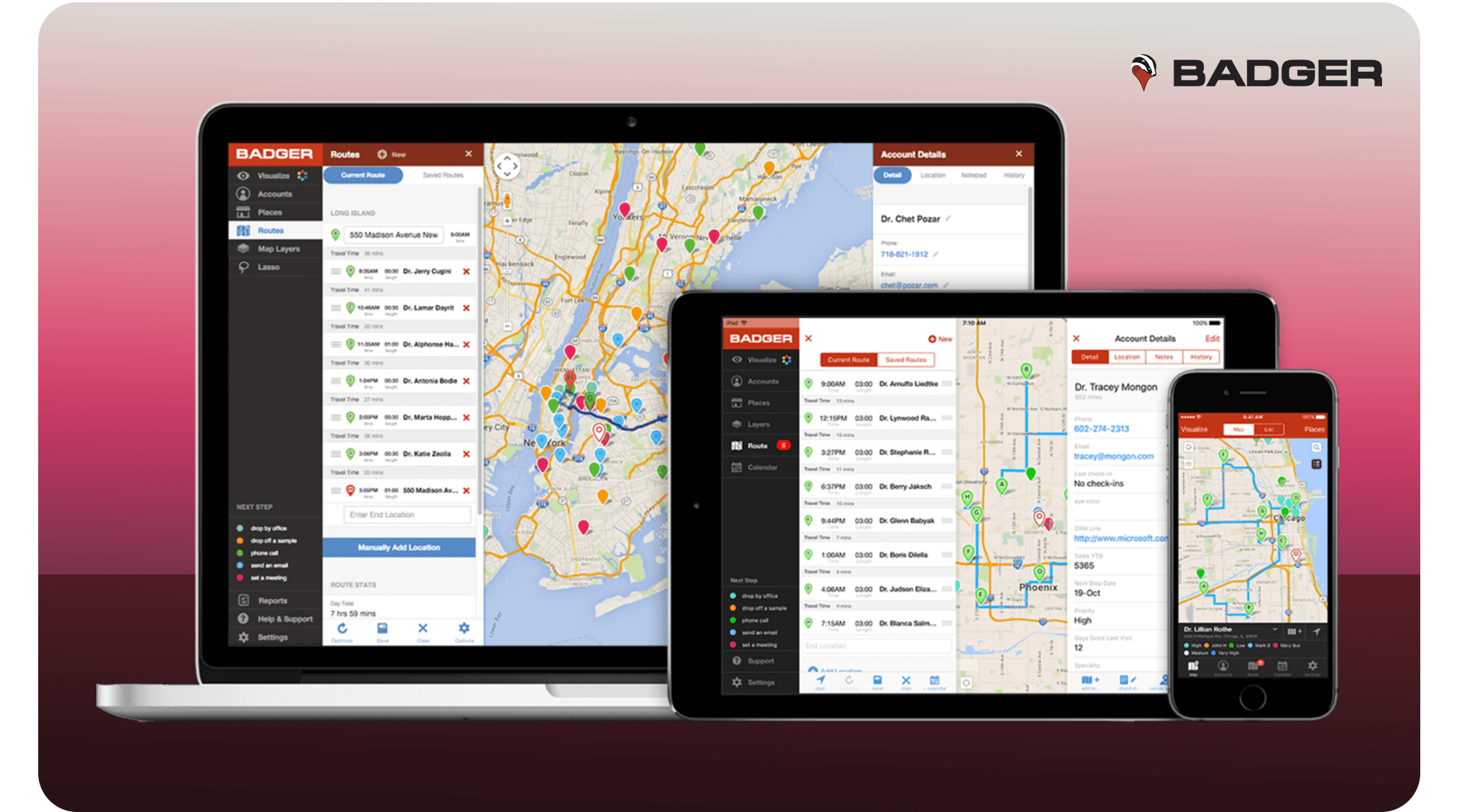
Badger Maps is purpose-built for field sales productivity—specifically, the problem of geographic territory management and efficient routing between customer visits. It’s not a CRM adapted for the field; it’s a field sales tool through and through, designed by people who understand that windshield time is the enemy of selling time.
Core Functionality
Badger Maps visualizes your entire territory on a map, placing every customer and prospect as a pin you can interact with. Its multi-stop route optimization algorithm calculates the most efficient sequence for visiting multiple accounts in a day—a task that would take 20-30 minutes of manual planning, solved in seconds. The Lasso tool lets you draw around geographic areas to quickly build visit lists for specific regions or territories. Check-in functionality allows you to log customer visits with location verification directly from the app. Calendar sync connects your meetings with your driving plan. And two-way integration with Salesforce, HubSpot, and Zoho means your CRM data flows in both directions.
Why Field Reps Need It
The average field sales rep drives 21 hours per week. That number is staggering when you consider what it represents—over half of a standard workweek spent behind the wheel rather than in front of customers. Badger Maps directly attacks this problem by optimizing routes so you cover more accounts with less driving. Fuel savings are real and measurable. Territory coverage becomes visible and defensible when your manager asks why you haven’t visited certain accounts. And fitting one or two additional meetings into a day by eliminating backtracking and inefficient routing has a direct, compounding impact on your pipeline.
Pricing
Badger Maps is $58/user/month on annual billing, with a 7-day free trial available. For the time savings it generates, most field reps recoup the cost within the first week of use.
What It Does Really Well
The route optimization algorithm is best-in-class—it consistently finds sequences that experienced reps wouldn’t have planned manually. The visual interface is intuitive; you can look at your territory and immediately understand your coverage patterns. The CRM integration is bidirectional and reliable. And unlike tools that were designed for inside sales and then retrofitted with a map view, Badger Maps was built from the ground up for field sales workflows.
Real-World Impact
Field reps using Badger Maps report saving 5-8 hours per week in drive time, allowing them to fit 1-2 additional customer meetings into their week—directly impacting revenue. When compounded across a full year, that’s potentially 50-100 additional customer conversations per rep annually.
The Limitation That Sets Up the Gap
Badger Maps excels at getting you to customer meetings efficiently. But it doesn’t help with what happens after the meeting. The check-in feature logs that you were there, but not what was discussed. You still need to manually enter meeting notes, next steps, and deal intelligence into Salesforce—typically 15-30 minutes per meeting while sitting in your car or waiting until end of day. Badger Maps solves the routing problem perfectly. The data capture problem is out of scope for what it was designed to do.

What It Is
LinkedIn Sales Navigator is the B2B social selling platform used by field sales professionals to research accounts, identify decision-makers, and surface timely intelligence before engaging with customers and prospects. In industries like manufacturing, distribution, and industrial sales, where relationships drive everything, knowing who you’re meeting before you walk through the door is a competitive advantage.
Core Functionality
Sales Navigator offers advanced search with over 20 filters—industry, company size, role, geography, seniority level—to precisely identify the right contacts within target accounts. Decision-maker identification helps you understand the full organizational chart, not just the contact who answers your calls. Real-time alerts notify you when contacts change jobs, when companies post news, or when accounts show activity relevant to your solution. InMail messaging lets you reach prospects who aren’t in your existing network. Relationship mapping shows shared connections for warm introductions. The mobile app works well for pre-meeting research on the go.
Why Field Reps Need It
In modern B2B selling, showing up to a meeting without knowing who you’re meeting is increasingly inexcusable. Sales Navigator closes that gap. Beyond individual meeting prep, it helps you identify new contacts within existing accounts who might be champions or blockers, surfaces trigger events (leadership changes, funding rounds, expansion announcements) that create natural reasons to reach out, and enables the kind of consultative, informed conversation that builds trust faster than any sales technique.
Pricing
Sales Navigator Core runs $99/user/month. The Advanced plan with additional team features and CRM integration is $149/user/month.
What It Does Really Well
The B2B contact database is unmatched in depth and accuracy. Real-time account intelligence is genuinely useful—particularly for field reps who need to know what’s happening at a customer’s company before driving an hour to visit them. Warm introduction paths through shared connections are regularly the difference between getting a meeting and getting ignored.
Use Case Example
Before visiting a manufacturing client, a field rep uses Sales Navigator to discover that the VP of Operations recently joined from a competitor—a perfect conversation starter and potential champion for their solution. That insight takes 3 minutes to find and transforms the entire meeting dynamic.
The Limitation That Sets Up the Gap
Sales Navigator is phenomenal for gathering intelligence. But that intelligence only has value if it makes it into your CRM. After researching five prospects on LinkedIn during your morning coffee, how much of that insight actually gets logged in Salesforce? How many times have you discovered great information about a prospect, then forgot to note it in CRM before your next meeting?
Studies show that 70% of prospect intelligence gathered informally never makes it into CRM systems. All that research time, all that competitive context, all those relationship signals—evaporating because the bridge between discovery and documentation doesn’t exist.
This gap is one reason why companies with successful CRM strategies emphasize not just having good tools, but ensuring data actually flows into the CRM reliably and completely.
Here’s how a top-performing field sales rep might use this stack on an ideal day:
Morning (8:00 AM): Open Salesforce Mobile to review today’s appointments and prep for each account. Check LinkedIn Sales Navigator for recent news about today’s customers—funding announcements, leadership changes, company news. Open Badger Maps to optimize the route for four meetings across the territory.
Throughout Day (9:00 AM – 5:00 PM): Navigate efficiently between appointments using Badger Maps. Check in at each location to log the visit. Access customer history in Salesforce Mobile before each meeting. Reference LinkedIn profiles during conversations to personalize the discussion.
Post-Meeting (After Each Appointment): Update Salesforce with meeting outcomes, next steps, and deal progress. Note key insights from LinkedIn research. Schedule follow-up tasks.
End of Day (6:00 PM): Review pipeline in Salesforce. Plan tomorrow’s route in Badger Maps. Queue up LinkedIn research for next day’s prospects.
On paper, this workflow is elegant. In practice, there’s a massive bottleneck: the post-meeting CRM update step. This is where field sales productivity goes to die.
This 3-tool stack gives you:
✓ A place to store data (Salesforce) ✓ Efficient routing to maximize meetings (Badger Maps) ✓ Intelligence on prospects and accounts (LinkedIn Sales Navigator)
But it’s missing the most critical piece: a way to actually get data INTO Salesforce without typing.
Consider a realistic post-meeting scenario. You just wrapped a 45-minute meeting with a manufacturing VP. In that conversation, you learned they’re evaluating three vendors including two competitors. Budget is approved at $150K. Timeline is Q3 implementation. The CFO is the final decision-maker. Their primary concern is integration with their ERP system. Their current solution is failing in three specific ways. The next step is scheduling a technical demo with their IT director. The VP seemed positive but specifically mentioned needing to see ROI proof.
Now you’re walking to your car. You have three options:
The Compounding Problem
Multiply this by four meetings per day across five days per week—that’s 20 meetings. At 25 minutes per CRM update, that’s 8.3 hours per week spent typing into CRM. More than a full working day, every week. Time that could be spent making four to five additional customer visits, following up on warm leads, or actually selling.
The average field rep spends 8+ hours per week typing into their CRM—time that could be spent selling.
But it gets worse. When CRM entry is tedious, one of three things happens: reps delay and forget critical details (research shows 70% information loss after 48 hours), reps enter incomplete data (field completeness drops to 40-50%), or reps avoid using the CRM altogether—leading to the adoption failures documented in why CRM adoption fails.
The downstream consequences are severe: your Salesforce data is incomplete or inaccurate, your Badger Maps check-ins show you were there but not what happened, your LinkedIn research never makes it into the CRM, your manager has no real pipeline visibility, and your forecast is educated guesswork.
This is the gap. And it’s costing field sales teams millions in lost productivity and missed opportunities.
The missing piece in this field sales software stack isn’t another prospecting tool or a better CRM. It’s a system of capture that bridges the gap between customer conversations and CRM data entry.
Voice-to-CRM technology like Hey DAN solves the bottleneck by letting field reps update their CRM by simply speaking—no typing required.
Here’s the same post-meeting scenario, but with voice-to-CRM in place:
You walk to your car after that manufacturing VP meeting. You pull out your phone and speak for 60-90 seconds:
“Just met with Tom Johnson, VP of Operations at Acme Manufacturing. They’re evaluating us against two competitors. Budget approved at 150K, timeline Q3 implementation. CFO is final decision-maker. Main concern is ERP integration. They’re having problems with their current solution around inventory sync, reporting lag, and user adoption. Tom seemed positive but wants to see ROI proof. Next step is schedule technical demo with their IT director Sarah Chen. Opportunity stage should move to proposal.”
That’s it. While you drive to your next appointment, the intelligence is being processed: AI transcribes your note with 95%+ accuracy, human intelligence verifies and structures the data, and CRM fields auto-populate—opportunity amount, close date, decision-maker context, competitive notes, next steps as a task, stage update, and full meeting notes preserved in context. By the time you arrive at your next meeting, your Salesforce is fully updated. Total time invested: 90 seconds.
Voice-to-CRM integrates with your existing field sales technology stack. Salesforce gets auto-populated fields, created tasks, and updated stages. Badger Maps check-ins gain the context that was always missing—not just that you were there, but what happened. LinkedIn Sales Navigator insights get captured and logged instead of evaporating. Rather than working around your stack, voice-to-CRM makes each tool more valuable by ensuring intelligence actually flows into your system of record. You can learn more about what voice-to-CRM is and how it works and how it fits a field sales workflow.
Without Voice-to-CRM: - CRM entry time: 25 minutes per meeting - 4 meetings per day → Daily CRM time: 100 minutes (1.67 hours) - Weekly CRM time: 8.3 hours - Annual CRM time: 400+ hours per rep
With Voice-to-CRM: - Voice capture time: 90 seconds per meeting - 4 meetings per day → Daily capture time: 6 minutes - Weekly time: 30 minutes - Annual time: 24 hours per rep
Time Saved: 376 hours annually = 9.4 weeks per rep At $75/hour blended rate: $28,200 in reclaimed productivity per rep Voice-to-CRM cost: ~$1,800 per year ROI: 1,467% (15.7x return)
Beyond time savings, the quality shift is dramatic. CRM completeness moves from the typical 40-50% to 85-95%. Data accuracy improves because you’re capturing in real time rather than reconstructing from memory at end of day. Manager visibility becomes instant—pipeline updates happen within minutes of each meeting. Forecast accuracy improves 30-40% when working from complete data. And rep satisfaction increases meaningfully when the hated end-of-day CRM catch-up session is eliminated. Explore Hey DAN’s full capabilities to understand what complete capture looks like in practice.
Salesforce, Badger Maps, and LinkedIn Sales Navigator are excellent tools. But they’re only as valuable as the data inside them. Voice-to-CRM doesn’t replace any of them—it makes all of them work better by solving the “last mile” problem: getting intelligence from conversations into your CRM without the manual entry bottleneck. It’s not a nice-to-have for field sales. It’s the foundation that makes the entire stack function.
Total Cost Comparison:
Incomplete Stack: - Salesforce: $100/month - Badger Maps: $58/month - LinkedIn Sales Navigator: $99/month - Total: $257/month ($3,084/year) - But 60% of value lost to incomplete data
Complete Stack: - Salesforce: $100/month - Badger Maps: $58/month - LinkedIn Sales Navigator: $99/month - Hey DAN Voice-to-CRM: $150/month - Total: $407/month ($4,884/year) - 90% of value captured
Net ROI: Spending $1,800 more per year delivers $18,800 more in realized tool value plus $28,200 in time savings = $47,000 annual impact per rep.
6:30 AM: Sarah, a field sales rep for an industrial equipment company, starts her day with coffee and LinkedIn Sales Navigator on her phone. She discovers that one of her prospects just posted about expanding their manufacturing capacity—perfect timing for her solution. She speaks a quick voice note: “FYI on Acme Corp—they just announced expansion, saw it on LinkedIn. Should move them up in priority.” Hey DAN logs this note in Salesforce and flags the account as high-priority.
7:15 AM: Sarah opens Badger Maps and sees her optimized route—four customer visits spanning 80 miles, efficiently planned to minimize drive time. She syncs her day’s plan and heads out.
9:00 AM – First Meeting: Before walking in, she opens Salesforce Mobile to review the account history and refresh her context. After the 45-minute meeting, she walks to her car and speaks for 90 seconds into Hey DAN, capturing all the meeting details—discussion points, deal intelligence, next steps, competitive notes. By the time she starts driving, her Salesforce is updated with complete information.
Throughout the Day: After each of her four meetings, Sarah does the same 90-second voice capture. No typing. No delayed entry. Every meeting is documented while the details are still fresh and accurate.
5:30 PM: Sarah checks Salesforce on her phone. Her manager has already reviewed her updated pipeline and sent a message: “Great progress today! Let’s strategize on the Acme Corp opportunity tomorrow.” Her forecast is current, her opportunities are updated, and she can enjoy her evening—no end-of-day CRM catch-up session looming.
Weekly Impact: Sarah completed 22 customer meetings this week, compared to her previous average of 17. Her CRM is 95% complete with rich, actionable data. Her manager has real-time visibility into everything that happened. She spent 12 minutes total on CRM data entry instead of 8+ hours. This is what a complete field sales technology stack enables.
Field sales is challenging enough—long drives, unpredictable schedules, quota pressure—without fighting against your technology. The right stack should make your job easier, not harder.
The three-tool combination of Salesforce Mobile, Badger Maps, and LinkedIn Sales Navigator provides:
✓ A system of record (Salesforce) ✓ Efficient territory coverage (Badger Maps) ✓ Prospect intelligence (LinkedIn Sales Navigator)
But without the fourth piece—voice-to-CRM—you’re paying for a Ferrari with flat tires. The data capture bottleneck undermines everything else.
Adding voice-to-CRM completes the stack by eliminating 8+ hours of weekly typing, ensuring 85-95% CRM completeness, enabling real-time pipeline visibility, making every other tool more valuable, and letting you focus on what you do best: building relationships and closing deals.
The Investment: - 3-Tool Stack: ~$3,000/year per rep - Complete Stack: ~$4,900/year per rep - Additional Investment: $1,800/year - Annual Return: $28,000+ in time savings + $18,000 in improved tool ROI - Net ROI: 2,456%
For field sales teams, voice-to-CRM isn’t optional—it’s the foundation that makes everything else work.


