Sales enablement prepares reps for the conversation. The CRM records what happened after it. Between the two sits the conversation itself, and that's where most of the value, and most of the data, gets lost. Close that gap, and enablement and CRM finally work together to lift sales performance.
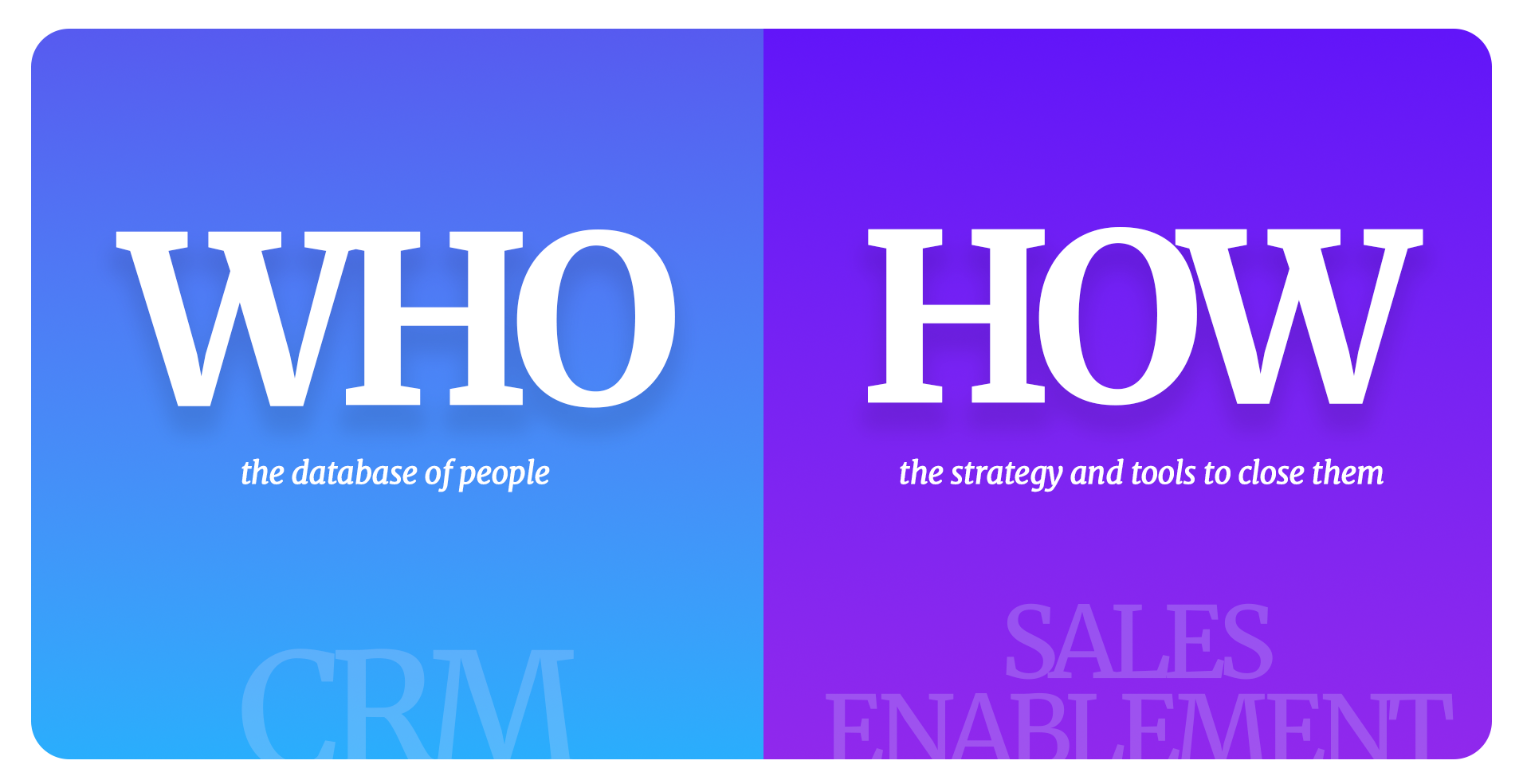
Most sales organizations invest heavily in both sales enablement and CRM, often buying them from different vendors and treating them as separate projects. The assumption is a simple handoff: enablement arms reps for conversations, and the CRM records the outcome. In practice, each system sees only its slice of the sale. Reps prepare in one tool, sell in person or on a call, and then become data entry clerks in another. Context is lost, records are thin, and leaders can't see what's really happening in the pipeline.
This guide brings together everything we've written about sales enablement and sales performance: the difference between enablement and CRM, the gap between them, what high-performing teams do differently, how leads move through the funnel, why follow-ups make or break deals, which KPIs matter, how to overcome common sales challenges, how modern selling has changed, and when outside help such as BPO or sales consulting makes sense.
Sales enablement is the practice of equipping sales reps with the content, knowledge, skills and tools they need to move deals forward. It's preparation-focused. In practice, it covers:
The goal is that whenever a rep walks into a meeting or picks up the phone, they have everything they need, with no scrambling.
A CRM is a system of record. Its job is to store and organize information about prospects, companies, deals and sales activities: accounts, contacts, opportunities and activities in structured fields; pipeline stages and workflows; reporting, forecasting and performance metrics; automation and alerts; and integrations with email, phone and calendar. After a conversation, the CRM should become the authoritative record of what happened, including stage, next steps, decision criteria, competitive situation and pricing discussion. CRMs such as Salesforce, HubSpot and Microsoft Dynamics are excellent at storing and retrieving structured data. They aren't designed to capture it from the chaos of real conversations.
Sales enablement is a system of learning that prepares reps before a conversation. A CRM is a system of record that stores what happened after it. Capture is the layer in between that turns the conversation into data.
| Sales enablement | Capture layer | CRM | |
|---|---|---|---|
| Role | System of learning | System of capture | System of record |
| Question it answers | Do reps have what they need to sell? | What actually happened in the conversation? | Do we have the records to forecast? |
| When it's used | Before the conversation | Right after the conversation | After capture, for reporting and planning |
| What it holds | Content, training, playbooks, coaching | Voice notes and summaries turned into structured data | Accounts, contacts, deals, activities |
| Typical failure | Content nobody can tie to outcomes | Missing, so reps must type | Thin, late and stale records |
| Hey DAN's role | Feeds real outcomes back to coaching | AI drafts, a human verifies | Receives clean, complete records |
The distinction matters because the two solve different problems. A rep might use enablement to find an ROI case study for a financial services buyer. That's content. After the call, the CRM needs data: Did we discuss price? Is budget approved? What's the decision timeline? Enablement can teach the right discovery questions, and the CRM can have fields for the answers, but neither helps the rep move efficiently from asking the question to recording the answer.
The gap is the translation step after every conversation. A typical rep's day looks like this:
Notice the invisible work. The rep had to be prepared, then had to become a data entry person. Two mindsets, two systems, one human doing both.
This explains a pattern sales leaders see everywhere: reps are trained, well-equipped and confident, yet pipeline data is still incomplete and stale. A rep has a great discovery call, walks out energized and wants to make the next call. But first they have to stop and type notes. That feels like friction, so they postpone it, log it later, lose context and write vague notes. The leader sees incomplete records and blames the rep for "not using the CRM." The real issue isn't the rep. It's the gap.
Between enablement and CRM there should be a third layer: capture infrastructure. Think of it this way:
A proper capture layer takes the natural output of a conversation, such as a spoken summary, and turns it into the structure the CRM needs. That's why approaches like voice-to-CRM exist. The rep stays in selling mode: prepare with enablement, have a great conversation, speak a brief summary and move on.
Data quality in the CRM is directly connected to enablement. When a rep logs what happened, managers can see which content and talk tracks actually move deals, and enablement teams can improve training based on real outcomes. When the conversation never makes it into the CRM, enablement is flying blind too. The two systems only improve each other when the capture layer connects them.
High-performing sales teams make CRM entry part of selling rather than a chore after it. The reps who are worst at CRM entry are often the best at selling: they're busy, effective in the field, and the payoff for spending 45 minutes at 8 PM typing meeting summaries is invisible to them. Teams that achieve real adoption do a few things consistently:
The business case is straightforward. Teams with accurate pipeline data forecast more reliably, coach more effectively and hand off accounts cleanly. None of that is possible if the data isn't in the system. For the full playbook, see our guide to why CRM adoption fails and how to fix it.
Enablement works best when you know what to develop. Rising sales stars tend to share four traits:
Give these people back the time lost to admin, and their strengths show up in the numbers.
Leads move through the funnel in four broad stages, and every stage depends on accurate information about where each lead stands.
Lead generation is how a business attracts and captures interest from potential customers. Without a steady flow of leads, even the best sales team has nobody to sell to. It's also hard: attention is scarce, buyers research independently, and marketing and sales often disagree on what counts as a good lead.
Inbound draws prospects to you through content, search, social media and referrals. Outbound reaches out to prospects directly through calls, emails, events and field visits. Most teams need both. The right balance depends on your market, deal size and how well your buyers can be found and reached.
An SQL is valuable because sales time is limited. Qualifying carefully means reps spend their time on people who are likely to buy, and prospects feel understood because the conversation starts from their needs. Nurture SQLs with timely, relevant follow-up, and record every qualification signal in the CRM.
SDRs and AEs hear qualification signals every day: a budget that just got approved, a competitor under evaluation, a pain point that changed priorities. Much of it lives in phone calls, LinkedIn messages and hallway conversations that never reach the CRM. When AEs receive a lead without that context, they start discovery from scratch. When AI scoring tools read the CRM, they miss it entirely. Capturing those signals is one of the simplest ways to improve conversion.
Follow-ups make or break deals because most prospects don't buy after the first conversation. The sale usually happens in the follow-up, and the quality of the follow-up depends on how much of the last conversation you remember.
Common reasons include lack of commitment, fear of rejection, lack of persistence, assuming the prospect won't convert, and simply being too busy to track many deals at once. The first four are mindset issues that coaching can address. The fifth is a systems problem. Follow-ups take effort and are time-sensitive, and when reps track them manually, they pile up.
A CRM makes follow-ups timely and consistent with reminders, tasks, sequences and a full history of every interaction. But it only works if the details of each conversation are in it. The more you can recall in your follow-up message, the more it shows the prospect you listened. Incomplete or error-filled notes lose the leads you worked hard to win.
Reps on back-to-back calls carry a lot in their heads: the CFO's budget concern, the stakeholder who's skeptical, the timeline that just slipped. If it isn't logged, the next follow-up misses it, and the forecast doesn't reflect it. A deal your CRM shows at 60% might really be closer to 25%. This is often why a competitor's sales manager seems to have better deal visibility than you: their reps capture what they hear.
Track both leading and lagging indicators. Key performance indicators are the measurable values that show whether the team is on track toward its goals.
You need both. Lagging indicators confirm whether the strategy worked. Leading indicators let managers coach before the quarter is lost. Both depend on accurate CRM data, because a meeting that wasn't logged doesn't count toward any KPI.
The most common challenges when introducing new sales tools are adoption, data entry time, training and pipeline tracking. Each has practical fixes:
Traditional selling methods can't stand alone anymore because buyers have changed how they research and decide. Buyers don't want pushy cold calls. They research online, read reviews, use social media and expect personalized, relevant communication.
The research confirms it. Gartner found 61% of B2B buyers prefer a rep-free buying experience overall, 73% actively avoid suppliers who send irrelevant outreach, and 69% report inconsistencies between what a supplier's website says and what its sellers say (Gartner, 2025). McKinsey's 2024 B2B Pulse found buyers now use an average of ten interaction channels, up from five in 2016 (McKinsey, 2024).
That doesn't make traditional principles obsolete. Relationships, listening and persistence still win deals. What has changed is the platform you use to execute them:
AI is part of that shift. Gartner found sellers who effectively partner with AI tools are 3.7 times more likely to meet quota, while overwhelmed sellers are 45% less likely to hit quota (Gartner, 2024). The goal is fewer, better-connected tools, fed by accurate data. Our guide to AI-first, human-verified CRM data explains why AI is only as good as what's in the CRM.
Bring in outside help when the work holding your reps back doesn't require their expertise, or when the structural problems are hard to see from inside. Two options are worth considering.
The most common reason good reps underperform isn't lack of skill. It's the admin that competes with selling time every day: scheduling, paperwork, reporting and internal requests. When a skilled rep spends 45 minutes coordinating a meeting an assistant could handle in ten, the company pays a real opportunity cost. BPO for sales typically covers three areas: administrative support for paperwork, record-keeping and coordination; scheduling support for calendars, meeting logistics and follow-up communication; and technical assistance. The key to making it stick is a clear handoff: defined task categories, communication rules and quality standards, so reps trust the support model instead of doing everything themselves.
Sales consulting addresses the structural decisions internal teams rarely revisit. Territory alignment is often the most overlooked lever: territories drawn once on geography or headcount drift out of line with where the opportunity is. Customer segmentation helps teams prioritize, building a model of the ideal customer, scoring accounts against it and aligning rep time with segment priority. Outside consultants bring benchmarks and perspective that teams working inside the business rarely have time to develop.
Hey DAN offers BPO and consulting services for sales teams alongside voice-to-CRM capture and CRM data cleanup.
Hey DAN is the capture layer between enablement and CRM, built on an AI-first, human-verified model:
Hey DAN isn't a CRM and doesn't replace yours. It works with Salesforce, HubSpot, Microsoft Dynamics 365 and custom CRMs, and teams typically use it to give reps back 4–6 hours a week of CRM entry time. Learn more about sales team enablement with Hey DAN or how it helps improve sales performance.
Sales enablement and CRM aren't competing investments. They're two layers of the same sales system, and they only work together when the conversation between them gets captured. Enablement prepares the rep, the conversation creates the value, and the CRM should record it without making the rep stop selling to type.
Add a fast, verified capture layer, and enablement, CRM and sales performance start reinforcing each other: better data, better coaching, better follow-ups and more accurate forecasts. If you're ready to see that in practice, book a demo or start a free trial.
Sales enablement equips reps before a conversation with content, training and tools. A CRM records what happened afterward as structured data for pipeline management and forecasting. Enablement solves a content problem; CRM solves a data problem.
The gap is the translation step after every conversation, when reps must turn what was said into structured CRM fields. That step takes time, loses context and is where data quality suffers. A capture layer such as voice-to-CRM closes it.
They capture notes within minutes of each meeting, use the easiest possible input such as spoken notes, run pipeline reviews and coaching from CRM data, and share what top performers do. That keeps the CRM complete and useful.
The four stages are attract, convert, close and delight. You attract the right people, convert them into leads, nurture and close them as customers, and keep delighting them so they buy again and refer others.
A marketing qualified lead (MQL) has shown enough engagement that marketing believes they're likely to buy. A sales qualified lead (SQL) has been vetted by sales as ready for a direct sales conversation, with a real need, budget and timeline.
Lagging indicators measure outcomes, such as revenue, win rate and quota attainment. Leading indicators measure the activities that drive those outcomes, such as meetings held, opportunities created and follow-ups completed. Track both.
A practical rule is three follow-ups per prospect, spaced out and personalized, before moving them to a longer-term nurture list. Don't delete unresponsive prospects; timing and priorities change.
Hey DAN is the capture layer between enablement and CRM. Reps speak a short voice note, AI drafts the CRM entry, and a Hey DAN reviewer verifies it before it syncs, with accuracy up to 99% (Enterprise). It works with Salesforce, HubSpot, Microsoft Dynamics 365 and custom CRMs.
Want to see how Hey DAN connects sales enablement and your CRM by turning every conversation into an accurate, human-verified record? Book a free demo and we'll show you exactly how it works.
30 minutes. No obligation.
Book a Demo with Hey DAN

Hey DAN is the market-leading Voice-to-CRM solution, trusted by more than 10,000 sales professionals and serving 50 of the 60 largest asset management firms worldwide. Founded in 2006, Hey DAN combines fast AI transcription with human verification to turn spoken conversations into accurate, structured CRM records, giving sales teams back hours every week and giving leadership the clean data modern go-to-market strategy depends on.
Follow Hey DAN


