Compare Capsule's minimalist contact-first approach with Insightly's project-integrated CRM to find the best fit for your workflow.

Capsule and Insightly serve a specific market: small service businesses—consultants, agencies, professional services firms—that need relationship management plus some project or service delivery tracking. This is different from the sales-centric choice of Pipedrive vs. HubSpot or the enterprise scale of Zoho vs. Salesforce.
For these businesses, the question isn't which CRM manages the pipeline fastest?' It's 'which system helps us maintain client relationships while we're coordinating projects and delivery?' The answer depends on whether projects are core to your business. If you're a consulting firm, Insightly's project management is essential infrastructure. If you're a freelancer or small agency managing clients through a relationship lens, Capsule's simplicity is more valuable.
This market segment also cares deeply about data quality, because maintaining client relationships requires accurate contact information, history, and preferences. The challenge: both platforms depend on manual data entry, and service businesses are notoriously bad at capturing data consistently because they're focused on delivery, not administration.
Capsule CRM launched in 2008 with a simple mission: make relationship management beautiful and effortless. The interface is built around a single concept: relationships. You see a contact, and Capsule surfaces your entire history with that person in one place—emails, tasks, notes, opportunities. Everything is organized around the person, not around administrative structures. Capsule is deliberately minimal. It doesn't try to do everything; it tries to do relationships excellently.
This philosophy appeals to service businesses because most client interactions are relationship-based. You're not managing a pipeline of anonymous deals; you're maintaining ongoing connections with known clients. Capsule's interface reflects this—it feels less like a sales tool and more like a personal relationship manager.
Insightly started as a sales CRM but evolved into a project management plus CRM platform. The core idea: link projects to opportunities, so you can see both the sales side and the delivery side of your business. For service businesses, this is valuable. You can track 'Project X is currently in discovery phase' while simultaneously tracking 'Opportunity Y is in the proposal stage.' Insightly is trying to bridge the gap between sales management and project delivery.
Both platforms are significantly lighter-weight than enterprise CRM. Neither is designed for massive customization or complex approval chains. They're designed for businesses that have outgrown spreadsheets but haven't reached the scale where they need Salesforce complexity. They sit in a sweet spot for 5-30 person service businesses.
Capsule: $11-99 per user per month. A 5-person team typically uses the mid-tier at around $49/user, totaling roughly $245/month. Very affordable.
Insightly: $29-99 per user per month. Mid-tier (Plus) is $59/user, so a 5-person team is roughly $295/month. About 20% more expensive than Capsule, but that includes project management features that would otherwise require a separate tool like Asana or Monday.com.
The ROI calculation depends on whether you use projects. If you're a consulting firm managing 5-10 concurrent projects, Insightly's project features might save you from needing a separate $100-200/month project management tool. In that case, Insightly at $295/month might be cheaper than Capsule + separate project tool at $245 + $150 = $395.
If you're managing clients but don't have discrete projects—you're providing ongoing consulting or support—Capsule's lower price with no unused project features is the better choice. The pricing question is really: 'Do we use projects?' If yes, Insightly makes sense. If no, Capsule is of better value. Either way, budget for capture infrastructure beyond the CRM itself, as we'll discuss in the data quality section.
Capsule's adoption advantage is its simplicity. New team members can be productive in Capsule within hours. There's a contacts section, an opportunities section, and a tasks section. That's the entire interface. A freelancer or small agency team picks it up without any formal training.
The adoption risk with Capsule is different: underutilization. Because Capsule is so simple, teams sometimes don't use it fully. Reps might log contacts but not attach opportunities. They might track emails but not update prospect status. Capsule succeeds when teams commit to consistent usage discipline. Without that, it becomes a contact database that slowly goes stale.
Insightly's adoption challenge is a learning curve. Teams need to understand the relationship between opportunities and projects. They need to learn the project tracking features. Implementation takes longer—typically 2-3 weeks before a team is comfortable with Insightly's full capabilities. The upside: once adopted, teams tend to use Insightly more completely because the interface guides them to appropriate features.
Both platforms show similar adoption patterns: initial enthusiasm followed by gradual degradation as data entry discipline fades. The difference is speed. Capsule adoption happens faster and fails faster (teams abandon discipline). Insightly adoption is slower but more sticky (the structured interface encourages continued use).
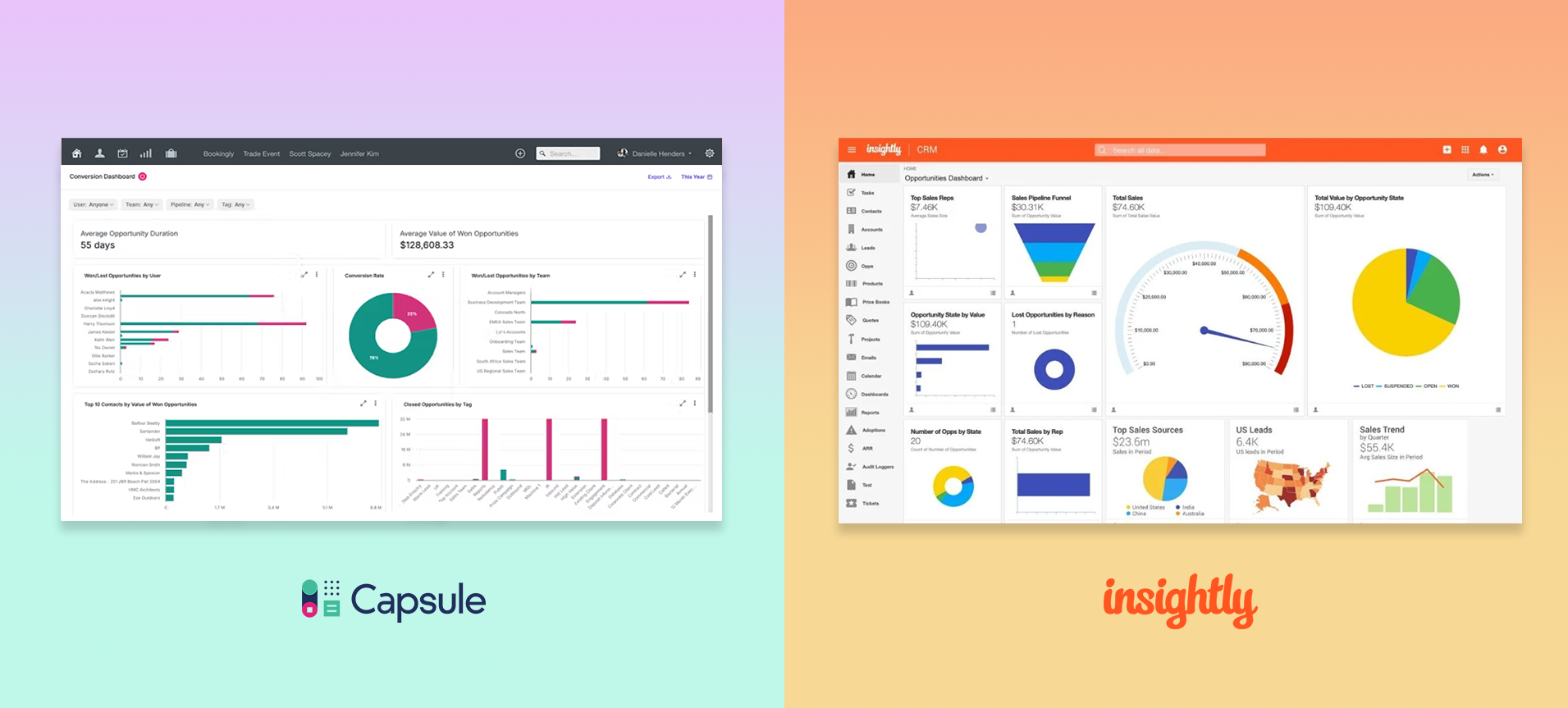
A Capsule user's day: Open Capsule. You see a dashboard with your upcoming tasks and recent contacts. You click on a contact and see everything about them—their full interaction history, current opportunities, attached files, email thread. You respond to an email (which is tracked automatically in Capsule if configured). You update an opportunity stage. You add a task for follow-up. The interface is clean and relationship-focused. Everything revolves around the contact, not the process.
For consultants and account managers, this is natural. You think about clients, not pipeline stages. Capsule organizes around that mental model.
An Insightly user's day is different. You might see a dashboard showing both your pipeline opportunities and your active projects. You have separate views for contacts, opportunities, and projects. You navigate between these modules based on the task. You're managing both 'opportunity with Acme Corp' and 'Project Acme Implementation Phase 2' as linked but separate entities. The interface requires more navigation but offers more control.
For service delivery teams managing multiple concurrent projects with different team members, this structure is necessary. You need to track both the sales opportunity and the implementation project independently because they have different stakeholders and timelines.
Neither platform has solved the core problem: data entry still requires manual discipline. When a consultant finishes a call with a client, they need to choose between 'update the CRM' and 'move to next activity.' This choice is urgent in service businesses because if you don't capture the information immediately, the memory fades and you won't come back to it. This is why leading service businesses are implementing structured intake processes and call logging infrastructure that captures information automatically, ensuring CRM data entry happens without requiring reps to remember to do it.
Capsule Challenges:
Insightly Challenges:
For both platforms, the common challenge is the same: they're trying to manage information, but they can't capture it automatically. When a consultant has a client call and discusses project changes, both Capsule and Insightly require manual logging. That moment—right after the call—is precisely when data entry competes with continuing to the next appointment. This is why service businesses are increasingly looking at voice to CRM infrastructure that transcribes calls and extracts structured data automatically, bypassing the manual entry bottleneck entirely.
Here's the frustrating reality: service businesses need better data quality than any other business type, yet they're worse at maintaining it.
Why? Because service businesses are staffed with doers, not administrators. Consultants are focused on delivering client work. Account managers are focused on growing existing relationships. These teams don't have time for administrative work. They view CRM data entry as overhead.
Capsule tries to address this through simplicity—if CRM entry is fast, maybe people will do it. But 'simple' isn't the same as 'fast,' and it certainly isn't the same as 'automatic.' Reps still have to remember to log their interactions.
Insightly tries to address this through structure—if the system forces a specific workflow, people must use it. But forcing structure in a service business creates resistance. Consultants don't like being forced into administrative workflows. They optimize around the system instead of using it.
Both systems show predictable degradation:
Service businesses that successfully maintain data quality do it through institutional discipline, not system design. They've built processes where CRM entry is someone's specific responsibility, or they've implemented capture infrastructure that logs information automatically. The latter is increasingly common. Teams are using call recording and transcription, structured intake calls, and automated email parsing to ensure that data about client interactions flows into Capsule or Insightly automatically. This solves both the time problem (reps don't spend time typing) and the accuracy problem (machine transcription plus human parsing is more accurate than rushed notes). Learn more about why this matters in our article on cost of manual CRM data entry.
The organizations that have solved this problem use a consistent approach: they've decoupled data capture from data entry. They don't ask reps to manually update CRM; they capture information from the work itself—calls, emails, meetings—and flow it into Capsule or Insightly automatically.
Practically, this might look like:
When you implement this in service businesses, the impact is dramatic. Data quality stays high. Forecasts are accurate because client feedback is captured and reflected in opportunity status. Project delivery improves because communication is automatically documented. And perhaps most importantly, reps reclaim time—they're not spending 30-45 minutes daily on CRM administration.
Both Capsule and Insightly work significantly better with this type of infrastructure. You can explore how to approach this in our capabilities section, which describes how capture infrastructure integrates with CRM systems to automate data flow.
Both Capsule and Insightly have decent integration ecosystems. Capsule integrates with about 100 apps; Insightly with about 200. Neither reaches HubSpot or Zoho levels of integration, but for SMB needs, both are adequate.
Common integrations for both:
Where they differ: Insightly integrates more deeply with project management concepts. You can embed Insightly data in project files. Capsule is more flexible for custom workflows through Zapier.
For service businesses, the integration question to ask is: 'Do we have a separate project management tool, and how well does the CRM integrate with it?' If you're using Asana or Monday.com for projects, Capsule might require more integration work (through Zapier) to keep CRM and project data in sync. Insightly's built-in project management means less integration complexity, though at the cost of potentially less sophisticated project management.
Choose Capsule if:
Choose Insightly if:
In both cases, plan to address data capture as a separate infrastructure concern. Neither platform solves this well on its own. Teams that succeed with Capsule or Insightly have typically implemented capture mechanisms that log client interactions automatically. See our articles on overcoming adoption challenges for specific strategies.
Capsule and Insightly serve different needs in the SMB service business market. Capsule is the choice if you want lightweight, relationship-focused contact management with minimal overhead. Insightly is the choice if you need to integrate project delivery with your sales opportunity tracking.
But your CRM choice matters less than you might think if you haven't solved the underlying data capture problem. Service businesses live by client relationships and project delivery. Both depend on accurate information about client interactions—calls, emails, meetings, deliverables discussed. Neither Capsule nor Insightly captures this automatically. They require manual logging.
The organizations that have achieved real success with either platform have recognized this. They've built or implemented separate infrastructure for data capture—voice-to-text call logging, email parsing, meeting transcription—that flows information into Capsule or Insightly automatically. When you implement this approach, both platforms perform dramatically better. Relationships stay current. Projects stay on track. And your team reclaims the time they were spending on manual data entry.
Whether you choose Capsule or Insightly, plan to address this capture layer challenge. Learn how in our solutions section, which describes how service businesses are building this infrastructure. For broader context, see our article on why CRM entry needs a revolution.
For service business teams evaluating CRM platforms:


