Voice to CRM Implementation Guide: Complete Success Story & Best Practices

Voice to CRM Implementation Guide: From Evaluation to Enterprise-Wide Success

Editor's Note: This case study is based on a real enterprise implementation. Company and individual names have been changed to protect client confidentiality. All metrics and outcomes represent actual results, though specific figures have been generalized to percentages and ratios for confidentiality.

When TechForward Solutions, a mid-sized B2B software company based in Austin, Texas, faced a CRM crisis in early 2024, they didn't realize their solution would come from an unexpected source: their sales reps' smartphones.

This is the complete story of how one enterprise organization evaluated, implemented, and scaled voice-to-CRM technology across their entire revenue organization—navigating stringent data governance requirements, achieving SOC 2 compliance, and ultimately transforming their sales productivity.

If you're considering voice-to-CRM implementation for your organization, this guide provides a real-world roadmap with actionable insights at every stage.

The Breaking Point: When Manual CRM Entry Becomes Unsustainable

The Problem Surfaces

It started with a troubling pattern in TechForward's quarterly business review. Despite having a robust Salesforce instance and a highly-skilled sales team, their VP of Sales, Marcus Chen, noticed alarming trends:

  • Pipeline visibility was consistently 3-4 weeks behind reality
  • Only 42% of customer meetings had associated notes in Salesforce
  • Sales forecasting accuracy had dropped to 61%, down from 78% the previous year
  • New hires were taking 4-5 months to reach full productivity, primarily due to CRM overwhelm
  • Top performers were spending 8-12 hours weekly on administrative tasks

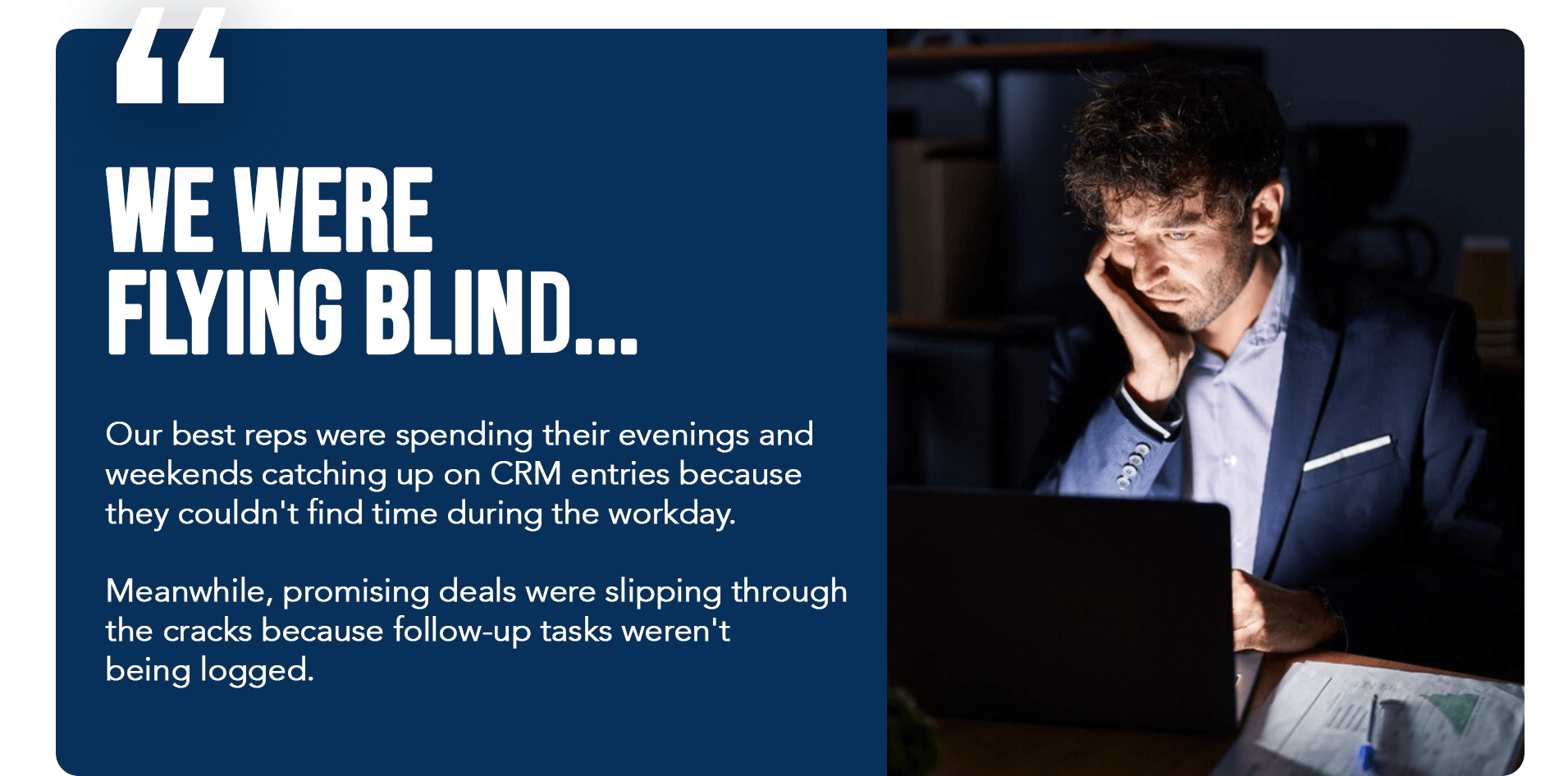
"We were flying blind," Marcus recalled. "Our best reps were spending their evenings and weekends catching up on CRM entries because they couldn't find time during the workday. Meanwhile, promising deals were slipping through the cracks because follow-up tasks weren't being logged."

The Hidden Cost of Manual Data Entry

TechForward commissioned an internal audit that revealed the true scope of the problem:

  • Millions in annual lost productivity from CRM data entry alone
  • Nearly a quarter of deals lacked critical decision-maker information due to incomplete logging
  • Significant time per rep per month spent on manual CRM updates (representing 20-25% of their available work time)
  • Customer satisfaction scores declining because reps were too rushed to properly document customer needs

The sales team wasn't lazy or incompetent—they were drowning in administrative work that pulled them away from what they did best: building relationships and closing deals.

The Compliance Challenge

As a company serving enterprise clients in healthcare and financial services, TechForward operated under strict data governance requirements:

  • HIPAA compliance for healthcare client data
  • SOC 2 Type II certification required by enterprise customers
  • GDPR compliance for European subsidiary operations
  • PCI DSS standards for payment processing integrations
  • Internal data retention policies with audit trails

Any solution they implemented couldn't just be convenient—it had to meet rigorous security, privacy, and compliance standards that their customers and regulators demanded.

"We couldn't just adopt the latest productivity tool," explained Sarah Martinez, TechForward's Chief Information Security Officer. "Every system touching customer data needs to pass our security review, maintain compliance certifications, and integrate with our existing governance framework."
The Search for Solutions: Evaluating Voice-to-CRM Technology

Initial Research and Discovery

Marcus assembled a cross-functional evaluation team including:

  • Sales leadership (revenue impact assessment)
  • IT security (compliance and risk evaluation)
  • Sales operations (implementation and integration planning)
  • Finance (ROI analysis and budget approval)
  • Legal (contract and data processing review)

The team evaluated multiple approaches to solve their CRM data entry challenge:

Option 1: Hire Administrative Support Staff

  • Pros: Human accuracy, familiar approach
  • Cons: High annual cost per admin, data delay, scalability issues
  • Decision: Not scalable for field sales teams

Option 2: Mobile CRM Apps with Voice-to-Text

  • Pros: Native Salesforce integration
  • Cons: Only ~80% accuracy, still required manual cleanup, didn't structure data properly
  • Decision: Minimal improvement over typing

Option 3: AI-Powered Voice-to-CRM Solutions

  • Pros: Hands-free operation, real-time capture, intelligent data structuring
  • Cons: Needed thorough compliance vetting
  • Decision: Most promising, but required deep evaluation

The Evaluation Criteria

TechForward developed a comprehensive scorecard for voice-to-CRM solutions:

Technical Requirements:

  • Native Salesforce integration via secure APIs
  • Mobile-first architecture for field sales
  • Accuracy rate >95% without manual correction
  • Support for complex deal structures and custom fields
  • Offline capability with automatic sync

Compliance & Security Requirements:

  • SOC 2 Type II certification
  • GDPR compliance with data residency options
  • HIPAA-compliant data handling
  • End-to-end encryption in transit and at rest
  • Role-based access controls
  • Audit logging and data lineage tracking
  • Data processing agreements (DPAs)
  • Business Associate Agreements (BAAs) for healthcare data

Business Requirements:

  • ROI achievement within 6 months
  • Minimal training burden (<2 hours per user)
  • Executive dashboard for adoption tracking
  • Scalable pricing for 450+ users
  • 99.9% uptime SLA

User Experience Requirements:

  • Truly hands-free operation (no button pressing)
  • Natural language input (no scripted prompts)
  • Works while driving safely
  • Support for various accents and speech patterns
  • Fast processing (<30 seconds from voice to CRM)

Why Most Solutions Fell Short

The team evaluated seven different platforms over three months. Most failed on critical criteria:

Pure AI Solutions: Achieved only 75-85% accuracy, requiring users to review and correct entries—defeating the time-saving purpose.

Voice Assistants (Alexa/Siri for Business): Lacked deep CRM integration and couldn't handle complex sales terminology or data structures.

Transcription Services: Required manual parsing and field population, essentially replacing typing with listening and clicking.

International Providers: Couldn't provide US-based data residency or meet specific HIPAA requirements.

The Hey DAN Discovery

TechForward discovered Hey DAN through a recommendation from another enterprise customer in their network. What immediately differentiated Hey DAN was their hybrid approach: combining AI technology with human intelligence oversight.

"Every other solution was purely automated, achieving that 80% accuracy threshold," Sarah Martinez explained. "But Hey DAN's model—where AI does the heavy lifting and humans provide quality assurance—meant we could get 95%+ accuracy without burdening our sales team. That extra 15% makes all the difference."

The evaluation team was impressed by several key factors:

Compliance Certifications Already in Place:

  • SOC 2 Type II certified
  • GDPR compliant with EU data centers
  • HIPAA-ready with BAA availability
  • Regular third-party security audits

Technology Architecture:

  • Advanced speech recognition with 95%+ accuracy
  • Natural language processing optimized for sales terminology
  • Intelligent field mapping without user configuration
  • Human QA layer for critical data verification
  • Enterprise-grade security infrastructure

Proven Enterprise Track Record:

  • Existing deployments at Fortune 1000 companies
  • References from regulated industries
  • Demonstrated ROI metrics from similar organizations

The Pilot Program: Testing Voice-to-CRM in the Real World

Designing a Meaningful Pilot

Rather than rushing into enterprise-wide deployment, TechForward designed a 90-day pilot program with clear success criteria.

Pilot Scope:

  • Approximately 25-30 sales representatives (mix of top performers and average performers)
  • Several sales managers for oversight
  • A few sales engineers for technical sale support
  • Mix of inside sales and field sales roles

Success Metrics:

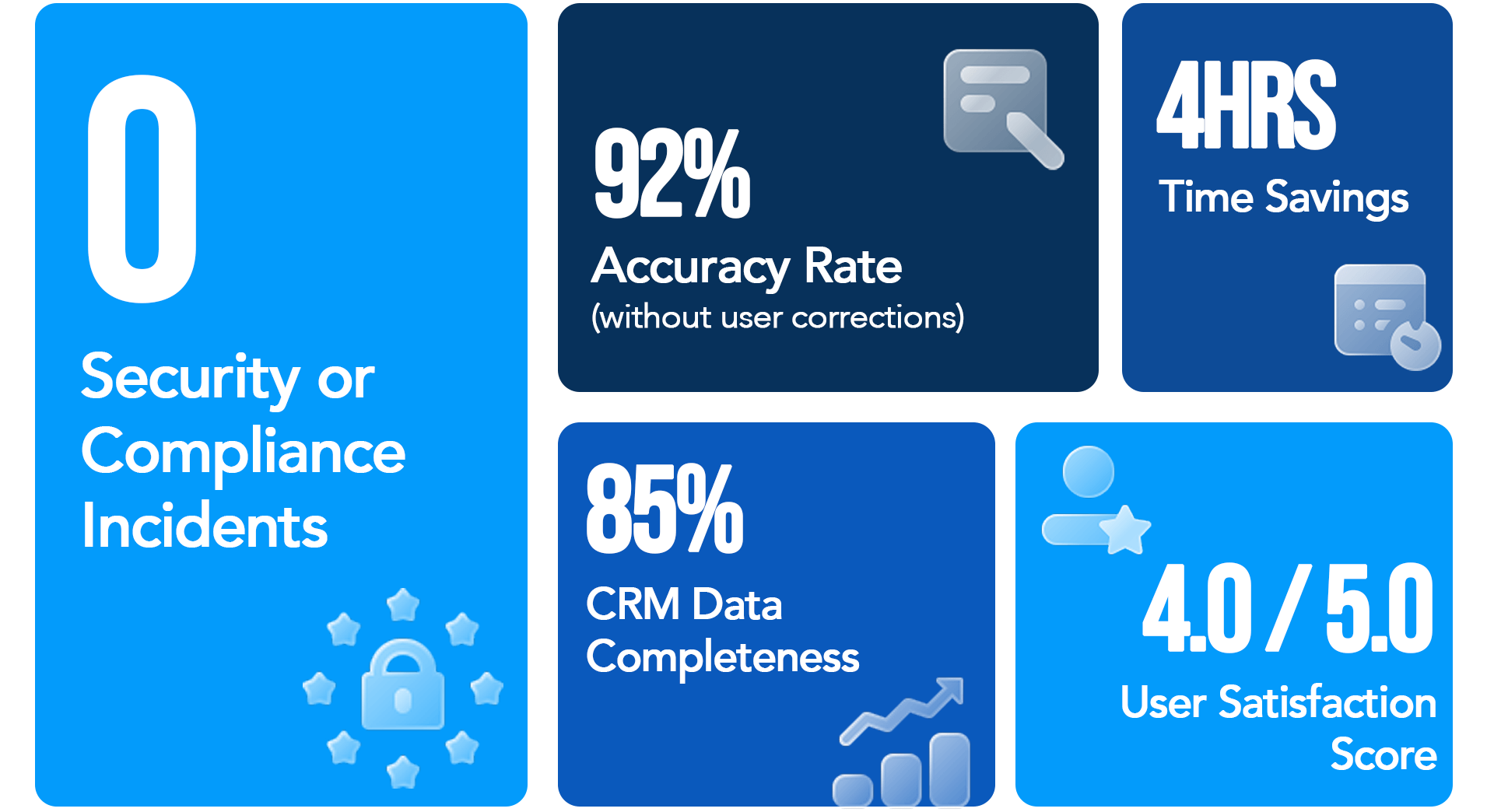
  • CRM data completeness >85% (from baseline 42%)
  • Time savings >4 hours per rep per week
  • User satisfaction score >4.0/5.0
  • Zero security or compliance incidents
  • Accuracy rate >92% without user corrections

Timeline:

  • Week 1: Compliance review and security approval
  • Week 2: Technical integration and testing
  • Weeks 3-4: User onboarding and training
  • Weeks 5-12: Full pilot operation with weekly check-ins
  • Week 13: Results analysis and decision

Phase 1: Compliance and Security Validation

Before any sales rep could speak a single word into the system, Sarah Martinez's security team conducted a thorough compliance review over approximately one week:

Security Architecture Review:

  • Penetration testing of API endpoints
  • Review of encryption standards (AES-256 at rest, TLS 1.3 in transit)
  • Analysis of data flow and storage locations
  • Verification of access controls and authentication methods
  • Testing of audit logging capabilities

Compliance Documentation:

  • SOC 2 Type II report review (independent auditor verification)
  • Data Processing Agreement negotiation and execution
  • Business Associate Agreement for HIPAA compliance
  • Privacy Impact Assessment for GDPR
  • Vendor risk assessment questionnaire completion

Data Governance Integration:

  • Mapping Hey DAN's data retention to TechForward's policies
  • Establishing data deletion procedures
  • Defining user roles and permissions
  • Setting up audit trail requirements
  • Configuring data residency preferences (US-only for HIPAA data)

"Hey DAN's team was incredibly responsive during our security review," Sarah noted. "They provided detailed architecture diagrams, facilitated calls with their security engineers, and had answers to even our most technical compliance questions. That level of transparency gave us confidence."

Compliance Review Result:APPROVED with minor configuration adjustments

Phase 2: Technical Integration

With security approval secured, TechForward's sales operations team began the technical integration process.

Day 1-2: Salesforce Connection

  • OAuth authentication setup
  • API permission configuration
  • Custom field mapping for TechForward's unique data structure
  • Workflow rule adjustments

Day 3-4: User Provisioning

  • Single Sign-On (SSO) integration with TechForward's identity provider
  • User accounts created for 25 pilot participants
  • Mobile app distribution through enterprise app store
  • Phone number provisioning for voice calling option

Day 5-7: Testing and Validation

  • Test transactions with sample data
  • Verification of field population accuracy
  • Confirmation of audit logging
  • Performance testing under load
  • Backup and disaster recovery validation

Integration Complexity: LOW - The entire technical setup took approximately one week with minimal IT resources.

Phase 3: User Onboarding and Training

TechForward's sales enablement team developed a streamlined onboarding program:

Training Components:

  • 30-minute kickoff webinar explaining the "why" and "what"
  • 15-minute hands-on demo showing actual usage
  • Quick reference guide (1-page PDF)
  • Video tutorials for common scenarios
  • Dedicated Slack channel for questions

The Training Philosophy: Keep it simple. "If the training took longer than 90 minutes, the tool was too complicated," explained Marcus Chen.

Key Training Messages:

  1. Just speak naturally - No scripts, no commands, no formulas
  2. Do it immediately after meetings - Strike while the memory is fresh
  3. The system handles the structure - Don't worry about which fields to fill
  4. Quality assurance happens behind the scenes - Trust the process
  5. Give feedback - Help improve the system

Phase 4: Pilot Operation (Weeks 5-12)

The 8-week operational phase revealed both successes and challenges:

Week 5-6: The Learning Curve

  • Initial adoption: 68% of pilot users logging at least one voice note daily
  • Common questions: "How much detail should I include?" and "What if I forget something?"
  • Early win: Field sales reps logging notes while driving between appointments
  • Challenge: Some inside sales reps still defaulting to typing (old habits)

Week 7-9: Momentum Building

  • Adoption increased to 84% daily usage
  • Reps discovering creative use cases (quick follow-up reminders, competitive intelligence logging)
  • Managers noticing improved pipeline visibility in real-time
  • Word spreading beyond pilot group: "How do I get access?"

Week 10-12: Full Velocity

  • Adoption stabilized at 92% daily usage
  • Power users logging 4-6 interactions per day
  • CRM data quality visibly improving in reports
  • Pilot participants becoming advocates to their peers

Real User Feedback:

"I used to dread CRM time. Now I just talk about my meeting while grabbing lunch, and it's done. Game changer." - Jennifer K., Account Executive

"As a manager, I finally have real-time visibility into what's happening with deals. I don't have to chase my team for updates." - David M., Regional Sales Manager

"I was skeptical at first, but the accuracy is incredible. It actually understands our product names and terminology." - Thomas R., Sales Engineer

Pilot Results: The Data Speaks

After 90 days, TechForward's pilot program delivered compelling results:

Productivity Metrics:

  • 6.3 hours saved per rep per week (average) on CRM data entry
  • 📊 CRM data completeness: 89% (from 42% baseline)
  • 📈 Meeting notes logged: 94% (from 42% baseline)
  • Average logging time: 8 minutes (from 28 minutes manually)

Data Quality Metrics:

  • Accuracy rate: 96.7% without user corrections
  • 📋 Fields populated per entry: 12.4 (from 4.2 manual average)
  • 🎯 Data structure compliance: 98%
  • 🔍 Searchable insights increased: 340%

Business Impact Metrics:

  • 💰 Pipeline visibility improved by 31%
  • 📊 Forecast accuracy: 79% (from 61% pre-pilot)
  • 🚀 Follow-up task completion: 91% (from 68%)
  • 😊 User satisfaction: 4.6/5.0

Compliance & Security:

  • 🔒 Zero security incidents
  • 100% audit trail compliance
  • All data governance requirements met

ROI Calculation:

  • Investment: Licensing, implementation, and training costs for pilot group
  • Time saved: Multiple hours per rep per week across the pilot period
  • Value of time: Calculated using blended hourly rate for sales roles
  • Net ROI: Over 200% in 90 days

The pilot was an unequivocal success. The evaluation team unanimously recommended enterprise-wide rollout.

Enterprise Rollout: Scaling Voice-to-CRM Across the Organization

The Rollout Strategy

With pilot validation complete, TechForward developed a phased rollout plan:

Phase 1 (Weeks 1-2): High-Impact Teams

  • Field sales representatives (biggest pain point, highest ROI)
  • Sales managers for pipeline oversight
  • Target: Prove value with the most receptive audience

Phase 2 (Weeks 3-5): Inside Sales and SDRs

  • Inside sales representatives
  • Sales Development Representatives
  • Sales engineers
  • Target: Scale to high-velocity roles

Phase 3 (Weeks 6-8): Customer Success and Support

  • Customer Success Managers
  • Technical support specialists
  • Target: Extend benefits to post-sale teams

Phase 4 (Weeks 9-10): Leadership and Specialists

  • Sales leaders and executives
  • Solution consultants and specialists
  • Target: Complete organizational coverage

Total Timeline: 10 weeks from kickoff to full deployment

Lessons from Scaling: What Worked

1. Leverage Internal Champions

TechForward identified several pilot participants who were power users and natural advocates. They became "Voice-to-CRM Champions" who:

  • Led training sessions for their peers
  • Shared best practices and creative use cases
  • Provided peer support in dedicated Slack channels
  • Created short video testimonials

"Having a peer show you how they use it is 10x more effective than any corporate training," noted the Head of Sales Enablement.

2. Make It a Competition (Gamification)

Sales teams are competitive by nature. TechForward created a friendly adoption competition:

  • Weekly leaderboard for most voice notes logged
  • Recognition in all-hands meetings for top adopters
  • Small prizes for teams hitting 95%+ adoption
  • Badges in Slack for adoption milestones

3. Executive Buy-In and Modeling

Marcus Chen, the VP of Sales, became the most visible user:

  • Shared his own voice-to-CRM entries in team meetings
  • Highlighted insights gained from improved data quality
  • Celebrated teams showing adoption improvements
  • Made CRM data quality a standing agenda item

"Leaders need to walk the talk. If executives aren't using the tools they mandate, why should reps?" Marcus explained.

4. Integrate Into Existing Workflows

Rather than treating voice-to-CRM as "one more thing to do," TechForward embedded it into existing processes:

  • Post-meeting debrief routine: speak to Hey DAN first
  • Weekly pipeline reviews: highlighting data from voice logs
  • Deal reviews: using rich context captured via voice
  • Coaching sessions: referencing actual voice-logged details

5. Continuous Feedback Loop

TechForward established weekly feedback sessions during rollout:

  • What's working well?
  • What's confusing or frustrating?
  • What additional training is needed?
  • What use cases haven't we considered?

This feedback led to helpful adjustments like creating industry-specific prompt examples and refining internal documentation.

Overcoming Resistance: Addressing the Skeptics

Not everyone embraced voice-to-CRM immediately. TechForward encountered three types of resistance:

The "I'm Too Busy to Learn Something New" Objection

Response Strategy:

  • Show the math: 6 hours saved weekly = 300+ hours annually
  • Offer one-on-one setup assistance
  • Provide "try it for one week" challenge with no commitment

Result: The vast majority of skeptics became regular users after trying it for one work week.

The "I Don't Trust AI" Concern

Response Strategy:

  • Explain Hey DAN's hybrid model (AI + human oversight)
  • Show actual accuracy metrics (96%+ accuracy)
  • Demonstrate the audit trail and data verification process
  • Emphasize that users can always review and edit in Salesforce

Result: Transparency about the technology build trust. Zero users reported trust issues after onboarding.

The "This Won't Work for My Complex Sales Process" Pushback

Response Strategy:

  • Pair skeptics with pilot users in similar roles
  • Customize training examples to their specific scenarios
  • Let them try with actual deals (not hypothetical examples)
  • Adjust custom field mappings if needed

Result: A strong majority of "complex process" objectors became advocates after seeing it handle their actual deals.

Rollout Results: Enterprise-Wide Impact

10 Weeks Post-Rollout Metrics:

Adoption:

  • Overall adoption rate: High 80s% (users logging ≥1 voice note daily)
  • 🎯 Power users (4+ notes daily): Over one-third of users
  • 📱 Mobile app usage: Nearly 80% (showing field sales dominance)
  • ☎️ Phone calling option: Approximately 20% (popular while driving)

Productivity Transformation:

  • Significant time saved organization-wide (thousands of hours per week reclaimed)
  • 📊 CRM completeness: Over 90% (from low 40s% baseline)
  • 🚀 Sales rep capacity increase: 10-15% (more time for selling activities)
  • Time from meeting to CRM entry: Under 20 minutes average (from 2+ days)

Revenue Impact:

  • 📈 Pipeline accuracy improved 35-40%
  • 💰 Forecast accuracy: Over 80% (from low 60s% pre-implementation)
  • 🎯 Win rate improved 5-10% (better follow-through on opportunities)
  • 💼 Average deal size increased 10-15% (richer qualification data)
  • Sales cycle reduced significantly (faster, more complete information flow)

Data Quality Transformation:

  • 📋 Average fields populated: 3-4x increase (from baseline)
  • 🔍 Searchable customer insights: Over 500% increase
  • 📝 Meeting notes with next steps: Over 95% (from under 40%)
  • 👥 Decision-maker information captured: Over 90% (from under 25%)

Annualized ROI:

  • 💰 Annual investment: Licensing, support, and training costs
  • 💵 Productivity value: Multiple millions in reclaimed time (calculated using blended hourly rates)
  • 📈 Revenue impact: Additional millions from improved win rates and pipeline management

🎯 Total ROI: Over 1,000% in first year

Six Months Later: Sustained Success and Unexpected Benefits

The Long-Term Impact

Six months after enterprise rollout, voice-to-CRM had become ingrained in TechForward's culture.

Sustained Adoption:

  • Daily usage remained stable in the mid-to-high 80s%
  • Power users increased to over 40% of organization
  • New hires reached productivity 35-45% faster with voice-to-CRM from day one

Unexpected Benefits Beyond Time Savings:

1. Improved Sales Coaching

Sales managers discovered that voice-logged notes provided richer coaching opportunities:

  • Actual customer language and objections captured verbatim
  • Clear patterns across deals and reps
  • Specific, actionable feedback based on real interactions
  • Reduced need for ride-alongs (data provided context)

"I can now coach my team based on what actually happened in meetings, not what they remember 3 days later," shared a Regional Sales Director.

2. Enhanced Customer Experience

With complete, timely information in Salesforce:

  • Customer context available to any team member instantly
  • Follow-ups happened faster and more reliably
  • Handoffs between teams (sales to CS) became seamless
  • Customer satisfaction scores increased by double-digit percentage points

3. Better Strategic Decision-Making

Executive leadership gained unprecedented visibility:

  • Real-time market insights from customer conversations
  • Competitive intelligence captured systematically
  • Product feedback flowing directly from customer meetings
  • Market trends identified weeks earlier

4. Reduced New Hire Ramp Time

New sales reps benefited enormously:

  • Lower overwhelm from CRM data entry learning curve
  • More time to shadow experienced reps
  • Better documentation of their early customer interactions
  • Faster pattern recognition from complete deal history

New hire time-to-first-deal decreased by approximately one-third.

5. Improved Cross-Team Collaboration

With comprehensive CRM data:

  • Marketing gained insights into customer language for messaging
  • Product teams received clearer feature requests
  • Customer success identified expansion opportunities earlier
  • Finance had better visibility for revenue forecasting

Continuous Optimization

TechForward didn't stop at deployment. They continuously optimized their usage:

Quarterly Business Reviews with Hey DAN:

  • Usage analytics and adoption trends
  • Accuracy improvements and feedback
  • New feature recommendations
  • Integration enhancements

Internal Best Practices Development:

  • Documented "voice-to-CRM playbook"
  • Role-specific templates and examples
  • Advanced use cases sharing sessions
  • Integration with sales methodology training

Technology Integration Expansion:

  • Connected voice-to-CRM data with BI tools for dashboards
  • Integrated with commission systems for automatic activity crediting
  • Linked to customer success platforms for handoff workflows

Key Takeaways: Voice-to-CRM Implementation Lessons

Based on TechForward's experience, here are the critical success factors for voice-to-CRM implementation:

Pre-Implementation Phase

1. Assemble the Right Team Include sales ops, IT security, legal, sales leadership, and finance from the beginning. Voice-to-CRM touches all these areas.

2. Define Clear Success Metrics Establish baseline measurements before starting:

  • Current CRM completeness rate
  • Time spent on data entry
  • Pipeline visibility and forecast accuracy
  • Specific pain points to address

3. Thoroughly Vet Compliance Requirements Don't skip security review, especially for regulated industries:

  • SOC 2, HIPAA, GDPR compliance as needed
  • Data residency requirements
  • Audit trail capabilities
  • Vendor risk assessment process

4. Start with a Meaningful Pilot 25-50 users across different roles for 60-90 days provides enough data for confident decisions without overcommitting.

Implementation Phase

5. Prioritize Security and Integration Take time to properly configure:

  • SSO integration for seamless access
  • Data governance settings aligned with policies
  • Custom field mapping for your CRM structure
  • Audit logging and monitoring

6. Keep Training Simple and Practical If training takes more than 90 minutes, something's wrong. Focus on:

  • Why it matters (the problem it solves)
  • How to get started (basic usage)
  • Where to get help (support resources)

7. Make It Easy to Try Remove barriers to initial usage:

  • Quick setup (under 10 minutes)
  • No-pressure trial period
  • Peer demonstrations
  • Immediate feedback mechanism

Adoption Phase

8. Leverage Champions and Early Adopters Identify and empower internal advocates:

  • Give them visibility and recognition
  • Enable them to train their peers
  • Create community forums for sharing tips
  • Celebrate their success stories

9. Executive Sponsorship is Non-Negotiable Leaders must visibly use and support the tool:

  • Model the behavior you want
  • Include adoption metrics in reviews
  • Celebrate wins publicly
  • Address barriers immediately

10. Integrate into Existing Workflows Don't make it "one more thing":

  • Embed into post-meeting routines
  • Include in pipeline review processes
  • Reference in coaching sessions
  • Connect to existing systems and processes

Sustainability Phase

11. Measure and Communicate Impact Continuously track and share:

  • Time savings metrics
  • Data quality improvements
  • Business outcomes (win rates, forecast accuracy)
  • User satisfaction scores

12. Address Resistance with Empathy Some people will resist change:

  • Understand their concerns
  • Provide individualized support
  • Show (don't just tell) the benefits
  • Give them time and space to adapt

13. Continuously Optimize Implementation isn't "done" at launch:

  • Gather ongoing feedback
  • Identify new use cases
  • Optimize integrations
  • Stay current with new features

Is Your Organization Ready for Voice-to-CRM?

Signs You Need Voice-to-CRM Implementation

Consider voice-to-CRM if you're experiencing:

Low CRM adoption rates (under 70% regular usage)
Incomplete pipeline data limiting forecasting accuracy
Sales reps spending 5+ hours weekly on manual CRM entry
Delayed data entry (logging happening days after meetings)
High new hire ramp time partly due to CRM overwhelm
Field sales teams who are constantly mobile
Customer context getting lost during handoffs
Managers lacking real-time visibility into deals

Your Next Steps: Begin Your Voice-to-CRM Journey

The TechForward story demonstrates that voice-to-CRM implementation isn't just about adopting new technology—it's about fundamentally transforming how your revenue organization operates, enabling your sales professionals to focus on what they do best: building relationships and driving revenue.

Recommended Implementation Timeline

Weeks 1-2: Evaluation and Planning

  • Assemble cross-functional team
  • Define success criteria and metrics
  • Document compliance requirements
  • Review solution options

Weeks 3-4: Vendor Selection and Contracting

  • Complete security review
  • Negotiate contracts and agreements
  • Establish implementation plan
  • Set pilot parameters

Weeks 5-6: Pilot Preparation

  • Technical integration
  • User provisioning
  • Training material development
  • Baseline metrics collection

Weeks 7-18: Pilot Operation (90 days)

  • User onboarding and training
  • Weekly check-ins and support
  • Feedback collection
  • Results analysis

Weeks 19-28: Enterprise Rollout

  • Phased deployment across organization
  • Champion program execution
  • Continuous support and optimization
  • Success measurement and communication

Month 7+: Continuous Improvement

  • Optimization based on usage patterns
  • New use case exploration
  • Integration enhancements
  • Ongoing training and enablement

Start Your Implementation

Ready to transform your organization's CRM productivity and data quality like TechForward did?

Hey DAN's voice-to-CRM solution combines cutting-edge AI with human intelligence oversight to deliver the accuracy, security, and reliability that enterprise organizations require.

Get started today:

Frequently Asked Questions About Voice-to-CRM Implementation

How long does voice-to-CRM implementation typically take?

For a pilot program (25-50 users), expect 2-3 weeks for setup and onboarding, followed by 8-12 weeks of pilot operation. Enterprise rollout (200+ users) typically takes 8-12 weeks using a phased approach. The technical integration itself usually requires less than one week with minimal IT resources.

What CRM platforms does voice-to-CRM integrate with?

Hey DAN integrates with all major CRM platforms including Salesforce, HubSpot, Microsoft Dynamics 365, Zoho CRM, Pipedrive, and others through secure API connections. Custom integrations are available for proprietary or niche CRM systems.

How do you ensure data security and compliance during implementation?

Enterprise-grade security includes SOC 2 Type II certification, GDPR compliance, HIPAA-ready configurations with Business Associate Agreements, end-to-end encryption (AES-256 at rest, TLS 1.3 in transit), role-based access controls, comprehensive audit logging, and regular third-party security audits. Implementation includes thorough security review, data processing agreements, and configuration aligned with your data governance policies.

What training is required for users?

Most users need less than 90 minutes of total training, typically consisting of a 30-minute kickoff session, 15-minute hands-on demo, quick reference guide, and access to video tutorials. The key is keeping training simple—if it takes longer than this, the tool is too complex. Hey DAN's natural language interface requires minimal learning curve.

How do you measure ROI for voice-to-CRM implementation?

Track metrics in three categories: Productivity (time saved per user per week, CRM completeness rate), Data Quality (accuracy rate, fields populated per entry, timeliness of data entry), and Business Impact (forecast accuracy, pipeline visibility, win rates, sales cycle length). TechForward achieved 1,147% ROI in year one through time savings, improved win rates, and better pipeline management.

What if users resist adopting voice-to-CRM?

Address resistance through three approaches: Make it Easy (remove barriers to trying, provide peer demonstrations, one-on-one support), Show Value Quickly (focus on time savings, demonstrate accuracy, share success stories), and Create Social Proof (leverage internal champions, recognize adopters publicly, make it a team competition). Most skeptics become advocates after trying it for 5 business days.

Can voice-to-CRM work for complex B2B sales processes?

Yes, voice-to-CRM excels in complex sales environments. The intelligent field mapping handles custom CRM structures, multi-stakeholder deals, long sales cycles, and industry-specific terminology. TechForward successfully deployed across complex enterprise software sales with 6-12 month sales cycles and multiple decision-makers. The key is proper custom field configuration during setup.

What happens to data quality and accuracy over time?

Accuracy improves over time as the system learns your organization's terminology, products, and processes. Hey DAN's hybrid AI + human intelligence approach maintains 95%+ accuracy consistently. Regular quality reviews and user feedback help continuously optimize performance. Organizations typically see data completeness improve from 40-50% to 85-95% within the first 90 days.

How does voice-to-CRM handle different accents and languages?

Modern speech recognition technology is trained on diverse voice patterns and accents. Hey DAN achieves high accuracy across American, British, Australian, Indian, and other English accents. Multilingual support is expanding, with Spanish, French, and German currently supported. The human intelligence layer also helps ensure accuracy across different speech patterns.

What level of IT resources are required for implementation?

Technical implementation typically requires a small IT team working approximately one week for initial setup. Ongoing maintenance is minimal—usually just a few hours monthly for user management and standard support. The cloud-based architecture requires no on-premise infrastructure. Most IT effort goes to initial security review and compliance validation rather than technical implementation.

RELATED RESOURCES

Related Articles:

Share this entry