A practical guide to identifying automation opportunities without sacrificing the human judgment that wins deals

"Automate everything" has become the default playbook in sales operations. Every SaaS vendor promises to replace manual work, reduce admin time, and free your team to focus on selling. The logic seems sound. But here's what happens in reality: teams automate the wrong things, create disconnected workflows that actually slow deals down, and end up with so much infrastructure that nobody knows what's happening in their pipeline anymore.
The uncomfortable truth is that some of the most important work in sales — identifying which prospects are truly qualified, building genuine relationships, navigating complex stakeholder dynamics — can't and shouldn't be fully automated. Yet other areas that consume enormous amounts of time and energy (like manual scheduling, follow-up reminders, and data entry) are perfect candidates for intelligent automation.
The goal of this article is to help you think differently about automation: not as a tool for eliminating work, but as a way to redirect your team's intelligence and time toward the activities that actually close deals. We'll explore what should be automated, what should remain human-driven, and how to build an automation strategy that doesn't undermine the judgment and intuition that separates great sales teams from average ones. We'll also address why CRM data entry represents a unique category of automation challenge — one that most teams misunderstand.
Before diving into what should be automated, let's be clear about the scale of the opportunity. The average sales rep spends 2-3 hours per day on non-selling activities. Of that, roughly 40-50% is administrative work: scheduling meetings, updating records, creating follow-up tasks, organizing notes, and chasing missing information.
That's roughly 1-1.5 hours of each rep's day spent on tasks that don't directly advance a deal. Multiply that across a team of 10 reps and you're looking at 10-15 lost hours every single day. Multiply that across 100 reps and the math becomes alarming — it's not just lost revenue, it's a fundamental inefficiency that compounds over quarters.
The good news: most of this work is highly automatable. The bad news: teams often automate it in ways that create siloed tools, broken workflows, and downstream data quality problems. That's where a thoughtful strategy becomes essential.
Some automation decisions are straightforward. These are the areas where rule-based logic works perfectly and human judgment adds little value:
This is the harder conversation. These areas require human nuance, context, and relationship intelligence. Automating them often leads to poor outcomes:
Most teams think about automation in binary terms: automate it or don't. But the most effective sales workflows operate on a spectrum, where automation handles the repetitive work while humans apply judgment, creativity, and relationship intelligence.
Consider follow-up workflows. A fully automated system sends generic follow-up emails on a fixed cadence — low effort, but often low impact. A human-assisted approach is different: automation surfaces which deals haven't moved in 7 days and which ones are at risk, but a sales manager reviews the list and makes strategic decisions about next steps. That manager might decide to personally reach out to a high-value deal, assign it to a sales engineer for a technical follow-up, or deprioritize it temporarily because the buying committee hasn't assembled yet.
The human-assisted model preserves the intelligence of automation while maintaining the strategic judgment that actually moves deals. It also requires less micromanagement — the system does the heavy lifting of tracking and flagging, humans do the decision-making.
Most automation projects fail not because the technology doesn't work, but because teams automate without understanding the complete workflow. Here are the patterns to avoid:
Here's the uncomfortable truth: the biggest automation bottleneck in sales isn't task management or workflow triggering. It's data capture — the process of getting accurate, complete, structured information into your CRM in the first place. This is why many automation initiatives fail to deliver expected ROI. Most sales automation assumes your CRM data is clean and complete. But in reality, reps manually enter notes after calls, skip fields they find irrelevant, enter inconsistent data formats, and treat CRM logging as a checkbox compliance activity instead of a system of record. When your foundation is weak, all the automation you build on top of it produces garbage outputs. Downstream systems can't make good decisions if they're working with incomplete or inaccurate data. Your forecasting tool can't predict accurately if pipeline data is messy. Your deal scoring system can't prioritize correctly if engagement activity isn't being logged. Your intelligence platform can't surface insights if context is missing from customer records.
That's why the concept of a 'system of capture' is becoming critical infrastructure in modern sales stacks. A voice to CRM approach solves this at the source: reps can speak their notes, insights, and activity immediately after meetings, and intelligent systems capture and structure that information without requiring manual typing. This ensures that every automation downstream has reliable data to work with. Without solving capture, automation becomes theater — lots of activity that doesn't move the needle.
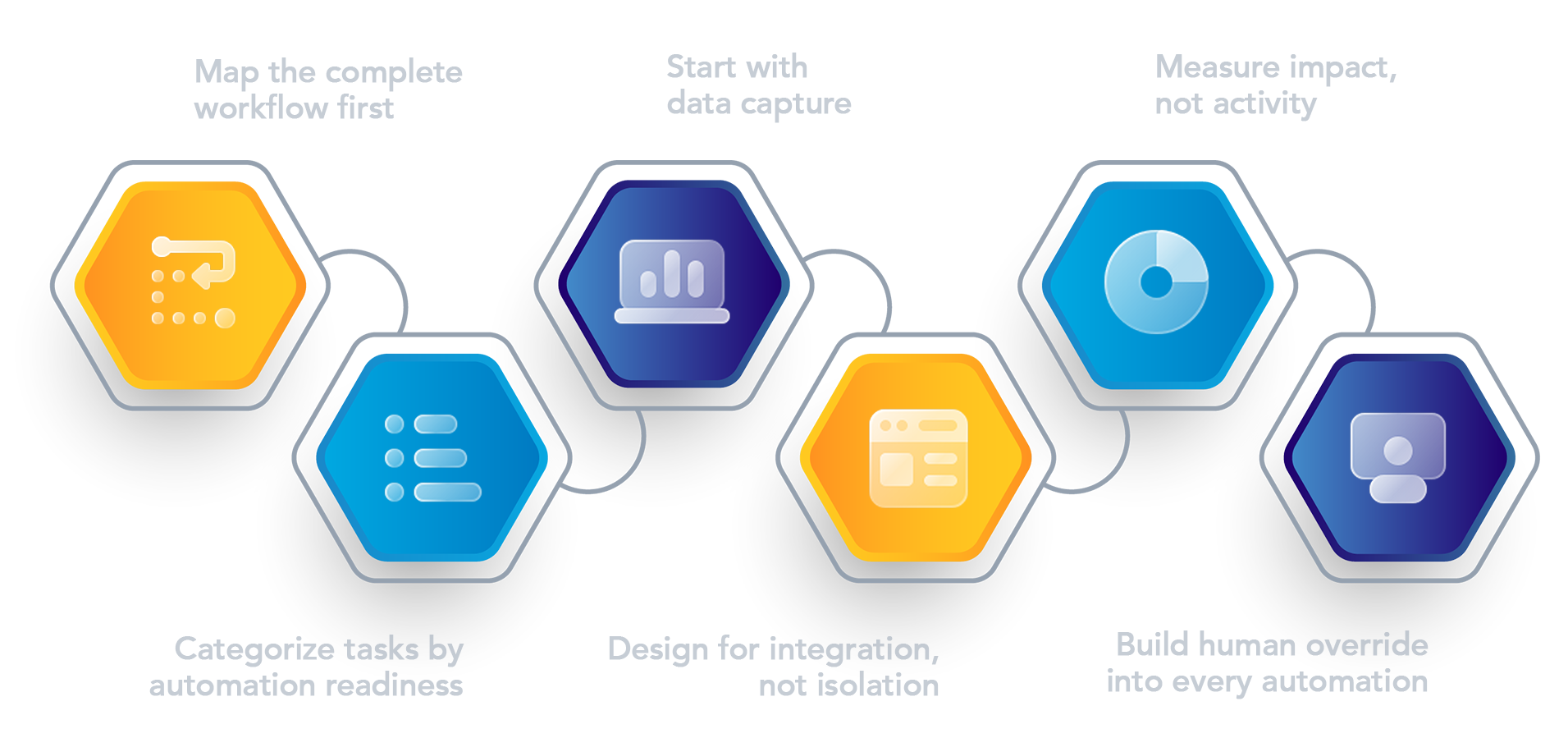
Here's a framework for deciding what to automate and how to build it without creating operational chaos:
Here's a scenario that plays out at countless sales organizations: A company implements an email automation platform that sends six-email sequences to prospects. The sequences look good — relevant, well-timed, clear CTAs. But six months later, the open rates and response rates have dropped compared to the previous year, even though the team is reaching more prospects.
Why? Because the automation removed personalization. Reps are no longer reading prospect LinkedIn profiles and crafting tailored messages. They're just hitting 'send' on the template. Prospects can tell. The volume went up, but the conversion went down, and the time saved wasn't redirected to higher-value activities — it was just wasted.
Another common scenario: A company automates deal routing based on territory, industry, and company size. The system is smart and fast. But it doesn't understand that Rep A has a warm relationship with the prospect's VP of Sales from a previous company, or that Rep B specifically asked to focus on deals in a certain vertical this quarter. The system assigns deals efficiently but suboptimally, and reps waste time trading accounts to get back to the ones they actually want.
These scenarios illustrate the core problem with "automate first, think later" strategies: they optimize for operational ease and miss business context. The best automation strategies account for the messiness of real sales relationships and leave room for human intelligence to guide outcomes.

Most conversations about sales automation focus on task automation — making reps' lives easier by handling scheduling, reminders, and follow-ups. But there's a foundational layer that almost nobody automates effectively: getting accurate information into the system in the first place. Think of your sales stack as having two fundamental layers:
For years, the capture layer was assumed to be the rep's responsibility — they talk, they type notes, they update records. But this assumption creates a bottleneck. Reps delay logging activities until end-of-day or week, they abbreviate or skip details to save time, they enter inconsistent data that downstream tools can't parse effectively. This is why most sales teams have a pipeline accuracy problem: not because the deals aren't there, but because the foundational data isn't clean. Modern CRM data entry infrastructure solves this by making capture frictionless. Instead of requiring reps to manually log activity, voice-based capture solutions let reps speak their notes immediately after meetings. The system transcribes, structures, and routes that information into the CRM automatically. The result: more complete data, faster logging, higher accuracy.
This is the automation that matters most. Not the task that saves 30 seconds, but the infrastructure that ensures every downstream system — your forecasting tool, your deal scoring system, your intelligence platform — is working with reliable data. This is why the capture layer deserves to be a central part of your automation strategy. Learn more about how modern capture solutions fit into your overall sales productivity stack.
The goal of sales automation isn't to remove humans from the process. It's to remove friction from the process so humans can focus on what they do best: building relationships, understanding customer needs, and closing deals.
This requires a different mindset than "automate everything." Instead, think: automate the repetitive, rule-based work. Augment the strategic, judgment-based work with tools that surface insights and flag opportunities. And crucially, ensure your foundational data capture is efficient and accurate, because everything downstream depends on it.
If you're building or revamping your sales automation strategy, start with these questions:
Your answers to these questions will guide a more thoughtful automation strategy — one that actually moves the business forward instead of just moving tasks around.
To go deeper on these topics, explore how leading teams are overcoming sales challenges through smarter workflows, and read our framework on why CRM entry needs a revolution.


