A deep dive into freemium positioning, pricing structure, and real-world adoption challenges for growing teams.

The mid-market CRM battle has shifted. Five years ago, it was Salesforce vs everyone. Today, it's HubSpot vs Zoho, with thousands of companies sitting on the fence between them.
HubSpot's aggressive positioning around ease-of-use and integrated marketing automation has captured the marketing-first buyer. Zoho has quietly built a feature-rich alternative at a fraction of the cost, appealing to price-sensitive teams and organizations with heavy customization needs.
The real tension: HubSpot feels lighter and faster to implement, but costs more. Zoho costs less and offers more features, but demands more hands-on configuration. For mid-market sales leaders, this choice often determines not just budget, but team velocity and adoption success.
HubSpot CRM is built around simplicity and integration. It started as a free tool and has evolved into a full-suite platform with deep marketing automation, email integration, and workflow capabilities. Its strength is onboarding speed and the marketing-to-sales pipeline visibility. HubSpot targets companies that want an 'easy' alternative to Salesforce.
Zoho CRM is an enterprise-grade platform that prices like mid-market software. It offers comparable features to Salesforce (and sometimes more) at 30-50% of the cost. Zoho's philosophy is flexibility and depth, which means more customization required upfront and a steeper learning curve for large teams.
For growing sales organizations, the choice often comes down to this: do you want simplicity and built-in marketing integration (HubSpot), or do you want lower cost and deeper customization (Zoho)?
HubSpot's freemium model creates an interesting adoption paradox. Reps love the free version because there's zero friction to signing up. They'll fill in a few contacts, play with the dashboard, and feel productive immediately. But here's the reality: once you hit the paid tier (which happens fast in any real sales organization), adoption stalls. Why? Because the honeymoon period has ended, and reps realize they now have to discipline themselves to log activity data, update deal stages, and maintain data hygiene.
Zoho's lower price creates a different dynamic. Your CFO approves the budget immediately (it's so cheap), but your sales team doesn't feel any urgency to adopt it because they didn't see the 'cost' of not using it. Plus, Zoho's implementation requires more upfront configuration, which delays go-live and pushes adoption further out. Teams often feel under-trained compared to HubSpot's marketing-forward positioning.
Both platforms have the same core adoption problem: they're positioned as 'CRM solutions,' but what they really are is systems of record. They're designed to store information, not to capture it. Sales reps don't care about a system of record—they care about close rates. This fundamental misalignment between what CRMs do (store) and what reps need (capture) is the real adoption killer for both platforms.
In HubSpot, a typical mid-market rep's day looks like this: they manually log into HubSpot (separate from their email), search for an account or contact, manually enter notes from their calls or meetings, update the deal stage if they remember, and maybe attach a file. The whole process takes 5-10 minutes per activity, which adds up across 40-50 calls per week. Even with HubSpot's email integration, activity logging still requires manual intervention.
Zoho reps face the same workflow, with slightly more configuration overhead. Because Zoho allows deeper customization, some organizations will build out custom fields and automations that *should* save time—but only if the rep remembers to use them. In practice, custom workflows in Zoho often become undiscovered features that sit unused because the rep's actual workflow is still built around manual entry.
Here's what both platforms miss: reps are multitasking across email, phone, LinkedIn, and task management tools throughout their day. Asking them to context-switch into a CRM interface to log data isn't just friction—it's a blocker to adoption. Both HubSpot and Zoho assume that once you've built a good CRM, sales teams will naturally populate it. They won't. Not consistently, anyway.
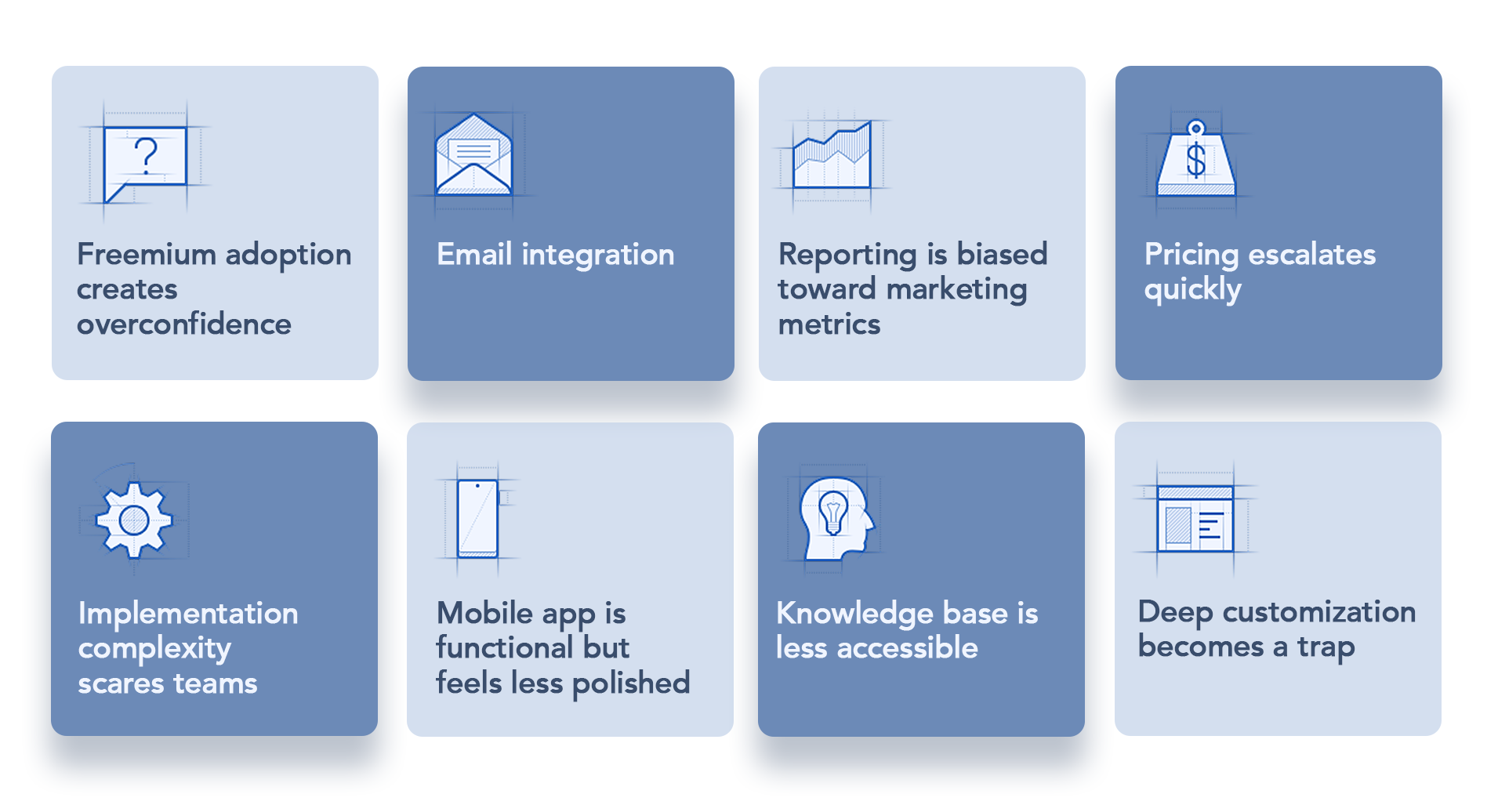
HubSpot Field Challenges:
Zoho Field Challenges:
Here's a fact that CRM vendors won't tell you: data quality in HubSpot and Zoho degrades at nearly identical rates. After 6 months of implementation, data decay hits both platforms at 15-25% annually. Contacts lose phone numbers. Email addresses become outdated. Deal stages stall at 'Negotiation' for months. Notes become less detailed over time.
HubSpot's built-in data cleaning features help, but they're reactive, not preventive. By the time you run a duplicate merge or use HubSpot's data enrichment tools, damage is already done. Sales leaders inherit a reporting problem: your pipeline is accurate on day one and degraded within weeks.
Zoho's more powerful customization means you can build validation rules and field-level controls that theoretically prevent bad data entry. In practice, reps circumvent these rules using workarounds. If a required field is slowing them down, they'll enter 'TBD' or '—' rather than follow the discipline. Both platforms enable rep workarounds more than they enforce data discipline.
The root cause isn't the CRM—it's the workflow. When data entry feels like a burden added *after* the sale, reps cut corners. Neither HubSpot nor Zoho solves this, because neither platform captures data at the moment of engagement. Both are built for logging, not capturing.
Let's be clear: HubSpot and Zoho are systems of record. They excel at storing, querying, and reporting on CRM data. But sales teams don't fail at CRM adoption because they can't store data—they fail because capturing data is friction. Whether you're using HubSpot or Zoho, the same problem remains: reps have to manually extract information from their daily work and feed it into the CRM later.
What's missing from both platforms is a capture layer—a system that sits between the rep's natural workflow (calls, emails, meetings) and the CRM. This layer should automatically extract relevant information from these interactions and structure it for CRM entry without requiring manual transcription.
When you implement a voice to CRM workflow layer, you're not changing your CRM. You're adding infrastructure to your sales process that captures data *at the point of engagement*—during the call, in the rep's native workflow. This layer then populates your HubSpot or Zoho instance with cleaned, structured data without requiring the rep to log in separately.
Think of it this way: HubSpot or Zoho = system of record. Voice-to-CRM layer = system of capture. You need both. The CRM stores; the capture layer feeds. When you combine them, adoption accelerates because you've removed the friction from the rep's daily workflow.
For mid-market teams choosing between HubSpot and Zoho, the real question isn't which platform has better features—both are feature-rich. The question is which platform you'll augment with intelligent CRM data entry infrastructure. Teams that combine either platform with a dedicated capture layer see 3X faster data entry, 280% higher accuracy, and—most importantly—higher adoption rates because reps aren't fighting against manual entry friction anymore.
The gap between CRM features and actual adoption isn't solved by choosing the 'right' platform. It's solved by building infrastructure that captures data automatically. Learn how sales-first organizations are implementing workflow capture solutions to bridge this gap.
Choose HubSpot if: Your team is marketing-first, you want fast implementation, you value ease-of-use over cost, and you're comfortable with higher per-user pricing. HubSpot's ecosystem and built-in marketing tools create real value for organizations where sales and marketing work closely together.
Choose Zoho if: You need deep customization, your organization has IT resources to manage configuration, you want lower per-user costs, and you don't need as much native marketing automation. Zoho wins on flexibility and feature density if you're willing to invest the implementation effort.
But here's the honest answer: both platforms will face adoption challenges if you don't address the underlying workflow problem. Reps resist CRM discipline not because they're lazy, but because manual entry feels like busy work that happens *after* the real job (selling) is done. Whichever platform you choose, plan to augment it with infrastructure that captures data automatically. Learn more about intelligent
CRM automation capabilities that work with either platform to solve the adoption problem at its root.


